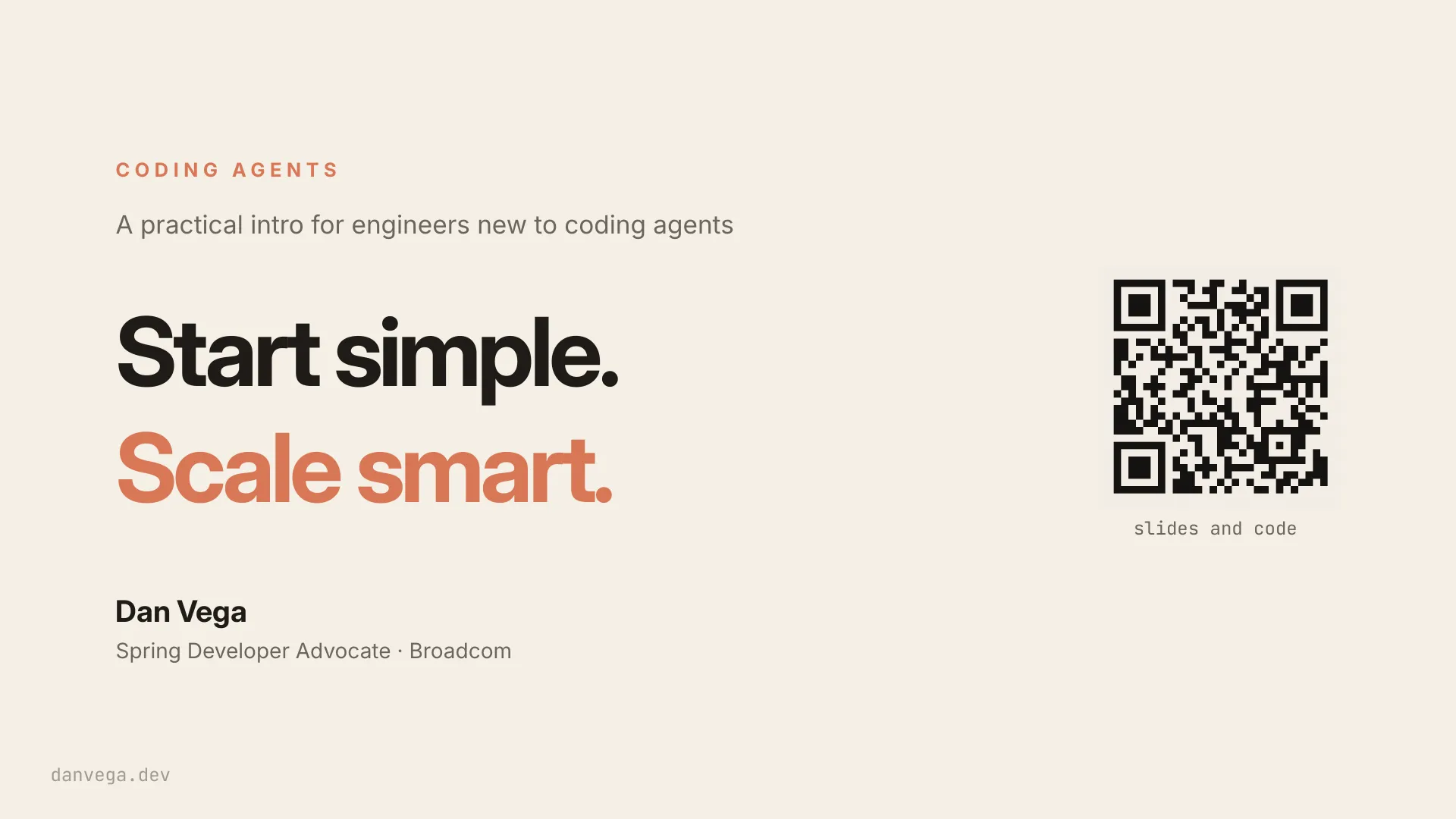
Coding agents are evolving fast. New commands, new features, someone on your timeline claiming they've automated their whole job. If you're feeling behind, you're not. Nobody is using all of it, and you don't need to.
What you need are the building blocks, in the right order. In this practical introduction to coding agents, we'll use Claude Code for the live demos, but the patterns apply no matter which agent you choose. We'll start with how an agent loop actually works, how to use these tools safely, and the workflows that matter day to day.
Then we'll look at context and memory, including how project-level instructions can make every future session better. Once the fundamentals are in place, we'll scale up to reusable skills, external tools with MCP, subagents, hooks, and longer-running autonomous work.
You'll leave knowing what to learn first, what to add as your needs grow, and what you can safely ignore until you actually need it. Start simple. Scale smart.
How the agent loop works, and the vocabulary that matters Permissions and plan mode, so you can trust what Claude does CLAUDE.md and project memory that make every session sharper Skills for repeatable work, and MCP for live data Subagents, hooks, and the gates that make delegation safe Long-running work with /goal and routines Slide text 1. CODING AGENTS A practical intro for engineers new to coding agents Start simple. Scale smart. Dan Vega Spring Developer Advocate · Broadcom danvega.dev slides and code2. HELLO 👋 About me. Spring Developer Advocate at Broadcom Java Champion Co-author of Fundamentals of Software Engineering 25 years as a software engineer danvega.dev3. One quick disclaimer. If you're already running five terminals with custom agents and skills… This talk probably isn't for you. Go grab another coffee. We'll be in the fundamentals for most of this talk.4. CODING AGENTS One tool today. Most of it translates to your favorite. Codex Gemini CLI Copilot Cursor Windsurf Grok Build Kiro5. I want to describe a feeling I get these days.11. Social media driven development.12. QUICK SHOW OF HANDS… Who's feeling overwhelmed? It's okay. This is a safe space.13. Things we're supposed to learn in coding agents. CLAUDE.md Agents Hooks /clear Subagents SKILL.md MCP Memory Worktrees /init Plan Mode Plugins Skills Agent Teams14. Things we're supposed to learn in coding agents. CLAUDE.md Agents Harness Hooks /clear Subagents SKILL.md Checkpoints Permissions Routines MCP Worktrees /init Memory PostToolUse Tokens Marketplace Status Line /goal Plan Mode Plugins /resume Agent Teams /context Compaction Skills Sonnet PreToolUse15. Things we're supposed to learn in coding agents. CLAUDE.md Agents Harness Hooks /clear Subagents SKILL.md Checkpoints MCP /goal Routines Tokens Marketplace /resume SessionStart Dispatch Auto-Accept Edits Plan Mode Plugins Compaction Auto Mode Slash Commands Cowork Effort Levels Skills Agent Teams /context Status Line Permissions Background Sessions /init Memory PostToolUse Side Chat Worktrees Sonnet PreToolUse Context Window Headless Mode Haiku Opus .claude/ Computer Use …and that's just this week16. You are not behind. You don't need to learn all of this. You need the building blocks. Scale later. We're all on our own journey.17. TO DAY What we'll cover. 01 The fundamentals agent · harness · token · context window 02 Getting started three surfaces · permissions · plan mode 03 Context is the job CLAUDE.md · skills · MCP 04 Scaling up subagents · hooks · goals · worktrees18. SECTION 01 / 04 The fundamentals. The vocabulary everything else hangs on. 01 The fundamentals 02 Getting started 03 Context is the job 04 Scaling up19. F U N DA M E N TA L S · 0 1 Agent.21. F U N DA M E N TA L S · 0 2 Harness.22. HARNESS The machinery that builds and runs the loop. Claude Code is a harness. So are Codex, Cursor, Gemini CLI, and Copilot's agent mode. Same model, different harness, different results.23. harness · the car model · the driver you · the destination ↓ decide → use a tool → observe ↻ repeats until the goal is done tools context safety rails orchestration steering and pedals read, edit, run windshield and mirrors what the model sees brakes and seatbelts sandbox, approvals cruise control retries, loops Agent = model + harness. You pick the destination.24. F U N DA M E N TA L S · 0 3 Token.25. TOKEN You don't pay for words. You pay for tokens. Ref actor tests = 9 the payment service and Roughly three quarters of a word. Claude reads, writes, and bills in them. run the26. F U N DA M E N TA L S · 0 4 Context window.27. CONTEXT WINDOW Working memory for one session. > /context system prompt ▮▮ tool definitions ▮▮▮▮▮▮ memory files ▮▮▮ messages ▮▮▮▮▮▮▮▮▮▮▮▮▮▮▮▮▮▮▮▮▮▮▮▮▮▮▮ free space ▮▮▮▮▮▮▮▮▮▮▮▮▮▮▮▮▮▮▮▮▮▮▮▮▮▮▮▮▮ 3% 9% 4% auto-compact at 95% Everything Claude is holding in its head right now. Big, but finite. 41% 43%28. T H E C AT C H Context rot. output quality More context is not better context. 18 frontier models tested. All 18 got worse as the window filled. Source: Chroma, "Context Rot" 2025 ) ( tokens in context →29. SECTION 02 / 04 Getting started. Three surfaces, permissions, plan mode. 01 The fundamentals 02 Getting started 03 Context is the job 04 Scaling up30. T H R E E WAY S I N Same engine underneath. terminal desktop web fast, scriptable parallel sessions runs while you're away31. B E F O R E YO U S TA R T Two ways to pay. $/month $/token Subscription. Flat, predictable. API. Metered, no ceiling. Pro, Max, or a Team seat. One pool across chat and Code. Great for scripts and CI. Pricey for daily coding. A stray ANTHROPIC_API_KEY silently moves you to the right column. /status shows your route.32. DEMO · 01 A first session. Open a project. Run claude. Ask for one small thing. Watch the loop. → jump to claude code33. TRUST, BUT VERIFY Permissions. plan mode ask every time auto-accept edits auto mode skip everything34. THE ONE FOLDER TO KNOW .claude/ .claude/ ├── commands/your custom slash commands ├── agents/subagent configs (markdown) ├── skills/SKILL.md folders ├── hooks/lifecycle shell scripts Everything custom about your Claude ├── settings.json project settings Code setup lives here. Memory. └── settings.local.json your overrides (gitignored) Commands. Agents. Skills. Hooks. CLAUDE.md project memory (root of repo)35. .claude/settings.json INSIDE .CLAUDE { "model": "sonnet", settings.json "permissions": { "allow": ["Bash(./mvnw *)", "Bash(git diff *)", "Read"], "deny": ["Bash(rm -rf *)", "Bash(mvn deploy *)", One JSON file controls permissions, "Read(./.env)"], "ask": ["Bash(git commit *)", "Bash(git push *)"] environment, and team-wide defaults. }, Checked into the repo, it travels with "env": { "SPRING_PROFILES_ACTIVE": "test" the project. } }36. M AY B E M Y FAVO R I T E F E AT U R E Plan mode. Hit ⇧ Tab until plan mode. Claude goes read-only. The difference between "oh no" and "yes, do exactly that." 01 Explore the codebase 02 Ask clarifying questions 03 Write a markdown plan 04 You approve · it executes37. NO PLAN MODE? Prompt it. Or make it a skill. PROMPT IT SKILL IT Ask for the plan first. Write it down once. "Explore the code. Ask me questions. Write a plan. Save that prompt as a skill. Any agent that Don't edit anything until I approve it." supports skills can use it. More on skills in a bit.38. DEMO · 02 Permissions and plan mode. A new project, from first prompt to trusted setup. → jump to claude code39. SECTION 03 / 04 Context is the job. Steering Claude with what you already know. 01 The fundamentals 02 Getting started 03 Context is the job 04 Scaling up40. This is where you can take a coding agent from a nice parlor trick to an irreplaceable teammate.41. The model is only as good as the context you give it.42. THREE GAPS, THREE FIXES Three ways the model comes up short. GAP 01 GAP 02 GAP 03 CLAUDE.md Skills MCP What it should always What it should know how to What it cannot see from know about this project. do. where it sits.43. CLAUDE.md A markdown file at the root of your repo. Claude reads it every session. CLAUDE.md # spring-petclinic Java 25 · Spring Boot 4.1 · PostgreSQL · Maven Conventions - Constructor injection only 20 minutes on a good one makes every session sharper. - Records for DTOs - Tests use Testcontainers, not H2 Run it $ ./mvnw spring-boot:run Gotchas - Migrations live in db/migration, not resources/ # # Have an AGENTS.md? Claude reads it when there's no CLAUDE.md. # # # # PROJECT MEMORY44. PROJECT MEMORY · THE CRAFT Write one that actually helps. VAG U E · D O N ' T SPECIFIC · DO "Write good code." "Use 2-space indent, no semicolons." "Follow best practices." "Constructor injection only." "Format things properly." "DTOs are records in model/." "Test your changes." "Run ./mvnw verify before done." Claude already tries to do all of this. Zero signal. Concrete rules Claude can't guess. Real signal. Structure it. Headings and bullets, not prose. Keep it tight. Every line costs context. Revisit it. Fix the file, not just the chat.45. CLAUDE.md KEEP IT LEAN Progressive disclosure. # Payments API Constructor injection only. Run ./mvnw verify before done. Testing conventions: @docs/testing.md Point at the details instead of pasting DB migrations: @docs/migrations.md them. Claude reads a file only when Release process: @docs/release.md the task needs it. Loaded up front: 8 lines. Loaded on demand: everything else.46. G A P 0 2 · W H AT I T S H O U L D K N O W H O W T O D O A skill is a folder with a SKILL.md. Expertise packaged once, pulled in on demand. Not crammed into every prompt.47. SKILLS What one looks like. The description is the trigger. Claude reads it to decide when the skill applies. The body is the playbook. Steps, conventions, commands. name: readme description: Write, rewrite, or review a README so it serves its actual reader. Use whenever the task is creating or improving a README. A README has one job: get the reader to what they came for in under a minute. Ground rules It's just markdown. In the repo, reviewed and versioned - Open with one plain sentence saying like code. what the project is and who it's for - Verify every command against the repo - - # - - No hype. Show a code sample instead. - # - - .claude/skills/readme/SKILL.md48. SKILLS If you explain it twice, make it a skill. new-endpoint scaffold a REST endpoint the way this team does it db-migration write a Flyway migration, naming and all code-review review a diff against the team's checklist release-notes turn merged PRs into a changelog, in house style49. SKILLS IN THE WILD Four jobs, twelve skills. VIDEO WRITING SHIP IT PODCAST video-edit blog-new-post shipit-shape spring-office-hours-edit Raw footage to Premiere. A first draft in my voice. Find the smallest useful version. Raw stream to podcast mp3. video-rough-cut blog-seo-optimize shipit-mvp spring-office-hours-prep Cut dead air, fillers, and retakes. Find what developers search for. PRODUCT.md before any code. Audio and show notes in one go. video-motion-graphics newsletter-publish shipit-feature podcast-appearance Graphics timed to what I say. Beehiiv edition to my site. Build the next feature and verify it. Log my guest appearances. Type the same prompt twice? Make it a skill.50. G A P 0 3 · W H AT I T C A N N O T S E E F R O M W H E R E I T S I T S MCP is a standard plug for outside tools. One protocol. Any tool that speaks it, Claude can see and use.51. terminal MCP What connecting looks like. One command to connect. The server does the rest. Claude discovers the tools. The server advertises what it can do. - / - / You stay in charge. Tool use runs through the same permissions. $ claude mcp add dvaas https: transport http \ mcp.danvega.dev/mcp ✓ Connected to dvaas ✓ 21 tools discovered: youtube · blog · speaking · newsletter · podcasts52. MCP Wherever Claude is guessing, plug in the source. github postgres read the real issue, comment on the real PR query the actual schema, not a guess at it chrome-devtools figma drive a real browser: live DOM, console, network build from the design file, not a screenshot cloudflare context7 manage workers, DNS, and logs on your real account current docs for your framework version, not training data53. CONTEXT IS THE JOB Skills versus MCP. SKILLS MCP Teach Claude how. Give Claude tools. Markdown playbooks for repeatable work. Static. Can't reach outside the repo. Live connections to tickets, databases, APIs. Capabilities. They don't teach taste. "turn a newsletter into a site post" TOGETHER "fetch the edition from Beehiiv" MCP fetches the newsletter. The skill publishes it my way.54. DEMO · 03 Skills and MCP. Teach it a skill, then plug in mcp.danvega.dev. → jump to claude code55. SECTION 04 / 04 Scaling up. One session to many. Watching to delegating. 01 The fundamentals 02 Getting started 03 Context is the job 04 Scaling up56. An agent is a file. .claude/agents/code-reviewer.md Its own prompt you decide how it behaves name: code-reviewer Only these tools description: Reviews code for quality read only, in this case tools: Read, Glob, Grep A cheaper model model: haiku haiku for mechanical work You are a code reviewer. Give specific, actionable feedback. Its own context window the whole reason to use one - - - It reads 40 files. You get back a paragraph. - - - SCALING UP57. D E L E G AT I N G S A F E LY Hooks. Hard rules, not vibes. CLAUDE.md HOOKS Advises. Enforce. The model reads it. The model can drift. A script that runs before or after Claude acts. Every time, no judgment call. "Use BigDecimal for money." Block any edit that stores money in a double. Claude usually listens. Claude can't get past it. The more you delegate, the more you want rules that cannot be talked out of.58. W O R K T H AT R E P E AT S Routines. Claude works while your laptop is closed. WHEN CLAUDE schedule Every weekday, 8am → Triage new issues and label them. api CI goes red → Read the log and open a fix PR. webhook A PR opens → Review it and leave comments.59. F R O M WAT C H I N G T O D E L E G AT I N G /goal Set the outcome, not the task. Claude keeps working, turn after turn, until it gets there. /goal Every task in PLAN.md is marked complete, ← THE OUTCOME and ./mvnw verify passes with output shown for each one. A task is not complete until it has a unit test ← HOW IT'S CHECKED and an integration test covering its behavior. Update PLAN.md after each task. Stop after 25 turns. ← WHEN TO STOP60. KNOW THE DIFFERENCE /goal is not spec driven development. SPEC DRIVEN /GOAL A plan. A finish line. Every decision made up front. The agent builds Keep going until this is true. It doesn't decide to it. what to build. Don't reach for it when the task needs design decisions you haven't made yet.61. M Y TA K E You may not need spec-driven development. VIBE CODING SPEC DRIVEN One prompt to rule them all. A spec for everything. Fun for prototypes. Without a plan, it falls apart Spec Kit, Kiro, OpenSpec, BMad. Great for big in production. teams. Overkill for one developer. My middle ground: one PRODUCT.md and my own process, written as skills.62. RUNNING MORE THAN ONE Two agents, one repo, one mess. Git worktrees give each branch its own folder. Same history, separate working files. FROM CLAUDE One .git history, shared across all of them. claude Separate files, so builds and tests don't collide. worktree feature-auth No stashing, no branch switching mid task. OR BY HAND git worktree add /api-auth auth-fix . . . . - - git worktree remove /api-auth Cost: each folder needs its own install and build.63. DEMO · 04 Agents. Working with subagents → jump to claude code64. F R O M PA I R TO PA R A L L E L Gates, not babysitting. You can't watch five agents. Your gates can. WHEN WHAT IT CHECKS permissions Before it acts → Allow the safe stuff. Deny the rest. hooks While it works → Hard rules it can't talk its way past. ./mvnw verify Before it says done → Tests pass, or it isn't done. ArchUnit In every build → Architecture rules it can't quietly break. code-reviewer Before you merge → A second agent reads the diff.65. Remember the wall? You know the ones that matter. CLAUDE.md Agents Harness Hooks /clear Subagents SKILL.md Checkpoints MCP /goal Routines Tokens Marketplace /resume SessionStart Dispatch Auto-Accept Edits Plan Mode Plugins Compaction Auto Mode Slash Commands Cowork Effort Levels Skills Agent Teams /context Status Line Permissions Background Sessions /init Memory PostToolUse Side Chat Worktrees Sonnet PreToolUse Context Window Headless Mode Haiku Computer Use You are not behind. Start simple, scale smart. We're all on our own journey. Opus .claude/66. S AV E YO U R S E L F A F E W W E E K S Mistakes I made so you don't have to. 01 Vague one-line prompts. "Fix the bug." Cool. Which one? Where? What did you try? Be specific. 04 No CLAUDE.md. Re-explaining your stack every session. Twenty minutes, write it once. 02 Skipping plan mode for real work. Five minutes of planning saves an hour of "what did you just do?" 05 Trusting the first answer. Read the diff. Run the tests. Push back. Claude likes the pushback. 03 Never running /clear. Stale context bleeds into new tasks. Wipe between unrelated jobs. 06 Reaching for Skills/MCP/Agents too early. First learn what Claude does well bare. Then add scaffolding.67. github.com/danvega/claude-code-start-simple the code from this talk68. That's it. Thanks. Questions? Dan Vega Spring Developer Advocate · Broadcom danvega.dev · @therealdanvega