
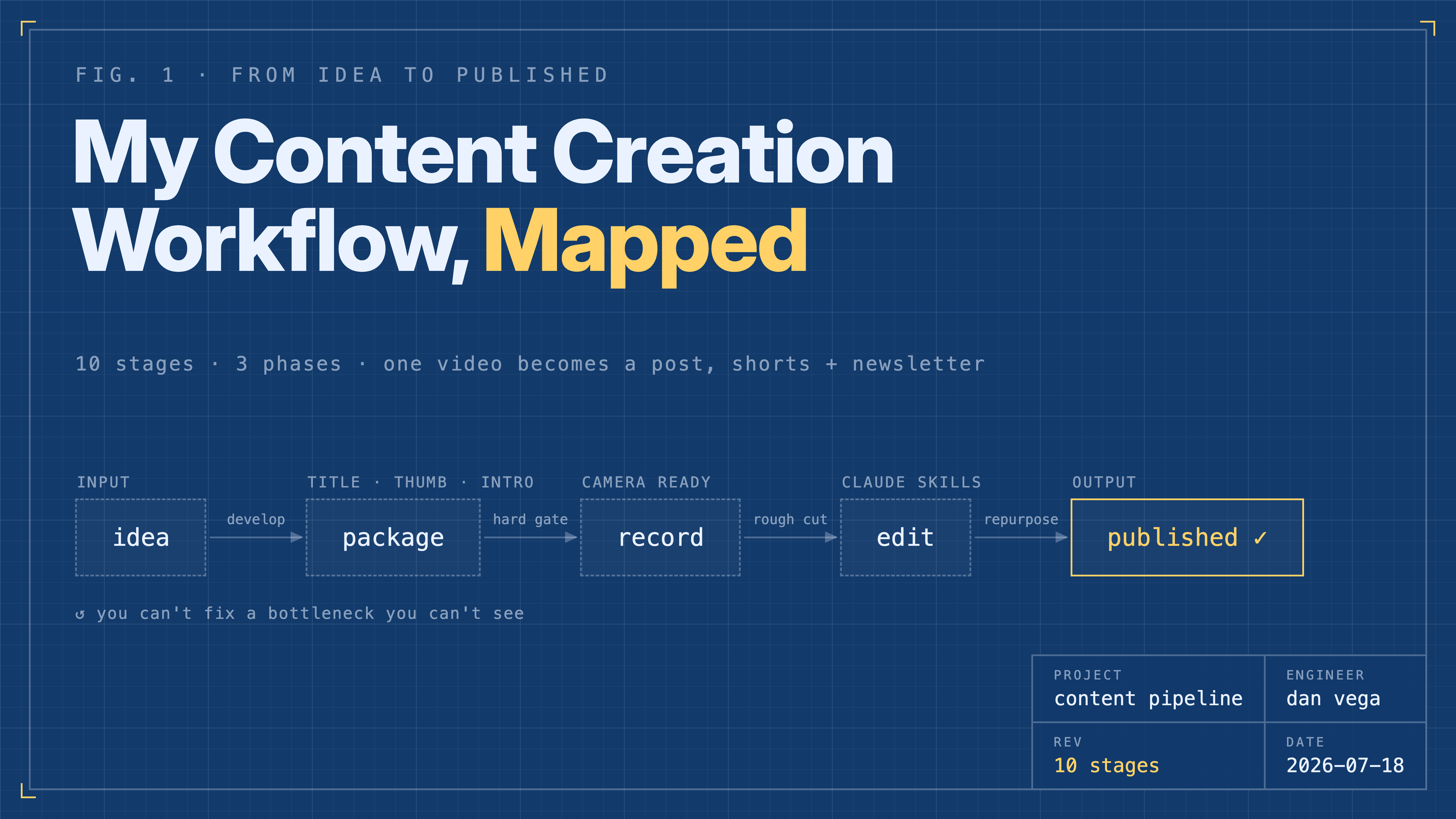
How long does it take to make one YouTube video? I used to answer that question with the recording time. Maybe the editing time if I was being honest. Then I sat down and mapped out everything that actually happens between "I have an idea" and "this video is published, repurposed, and promoted." It's ten stages. Ten.
In this post I'll walk through my complete content creation workflow: how I find and develop ideas, why I lock the title and thumbnail before I ever hit record, how AI handles my rough cuts now, and what happens to a video after it ships. If you create technical content, I hope seeing the whole pipeline in one place helps you map out your own.
Why I Bothered Mapping This Out
For years this process lived in my head. That worked, mostly, but it had two problems. First, I couldn't see where the time was actually going. Second, I couldn't improve a process I had never written down. Once I laid it out, the bottlenecks were obvious, and so were the stages where automation could help.
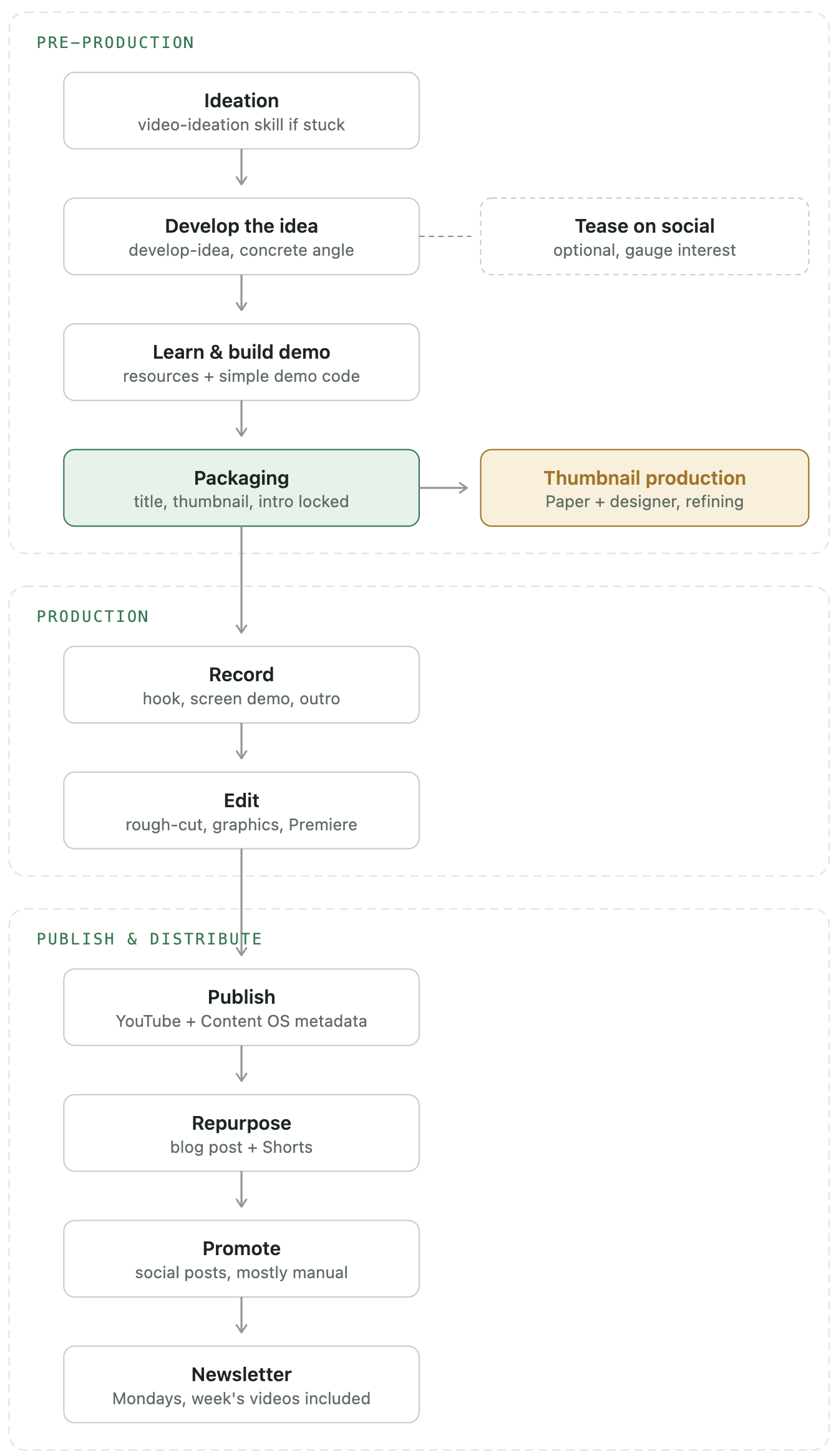
The workflow breaks into three phases:
- Pre-production: ideation, developing the idea, learning and building the demo, and packaging.
- Production: recording and editing.
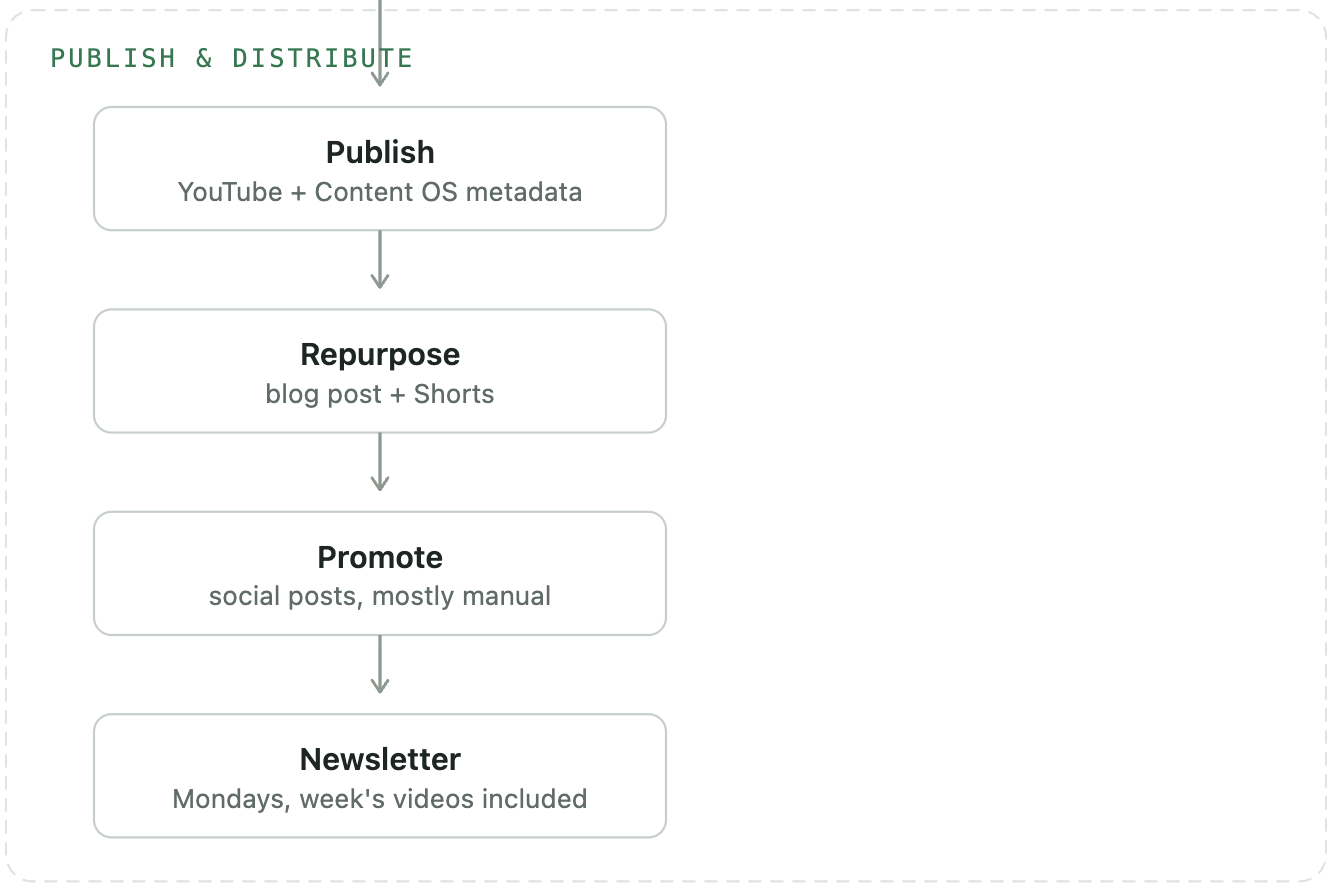
- Publish and distribute: publishing, repurposing, promotion, and the newsletter.
Let's walk through each one.
Phase 1: Pre-Production
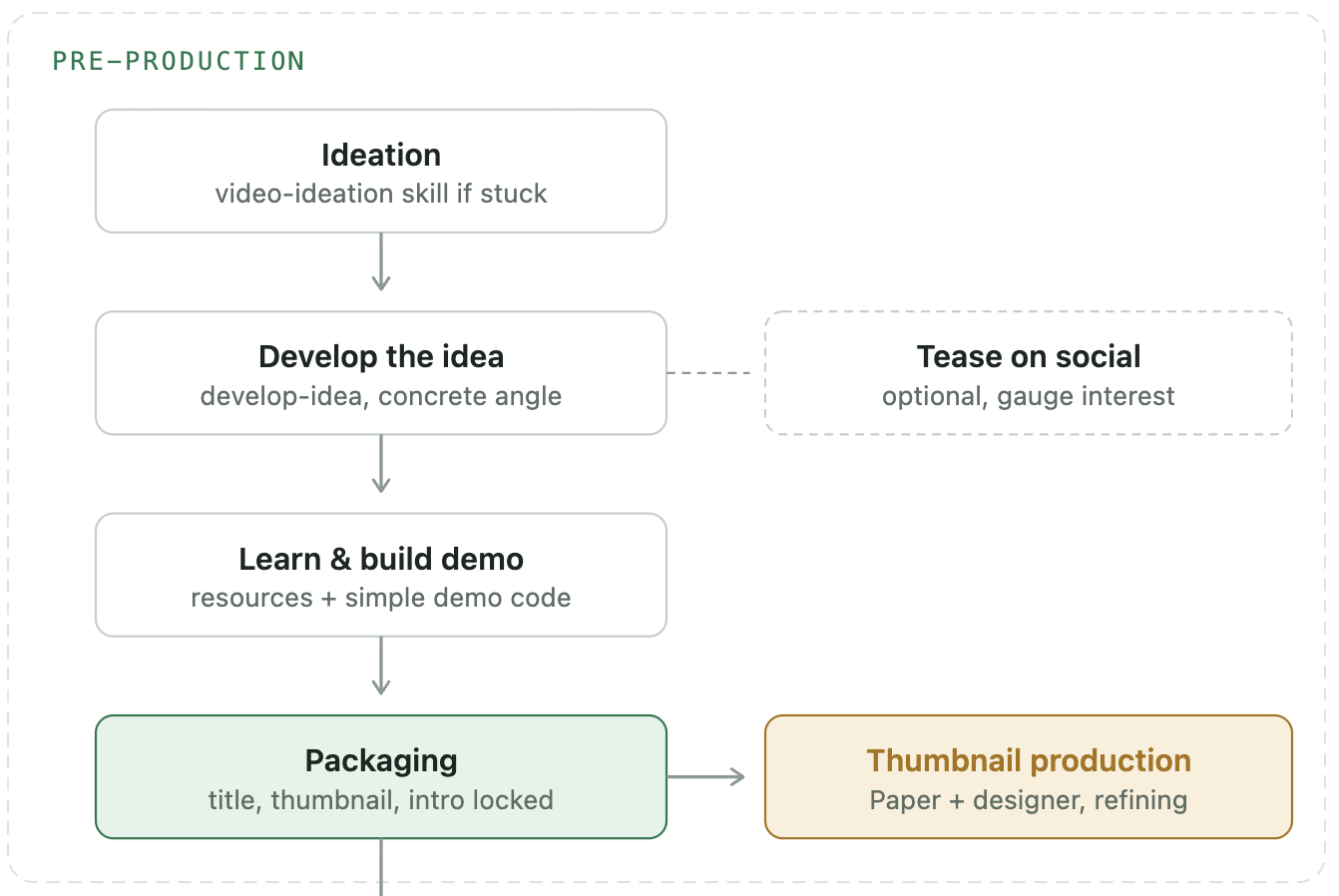
Ideation
Everything starts with an idea, so the first question is simple: do I have one?
If I don't, I have a Claude Code skill called video-ideation that helps me figure out what to make next. It looks at what people are searching for and what I've already created, and produces a ranked list of ideas backed by evidence of real demand. If I do have an idea, it's usually rough. "I want to make a video on Topic X" is not a video. It's a starting point.
Develop the Idea
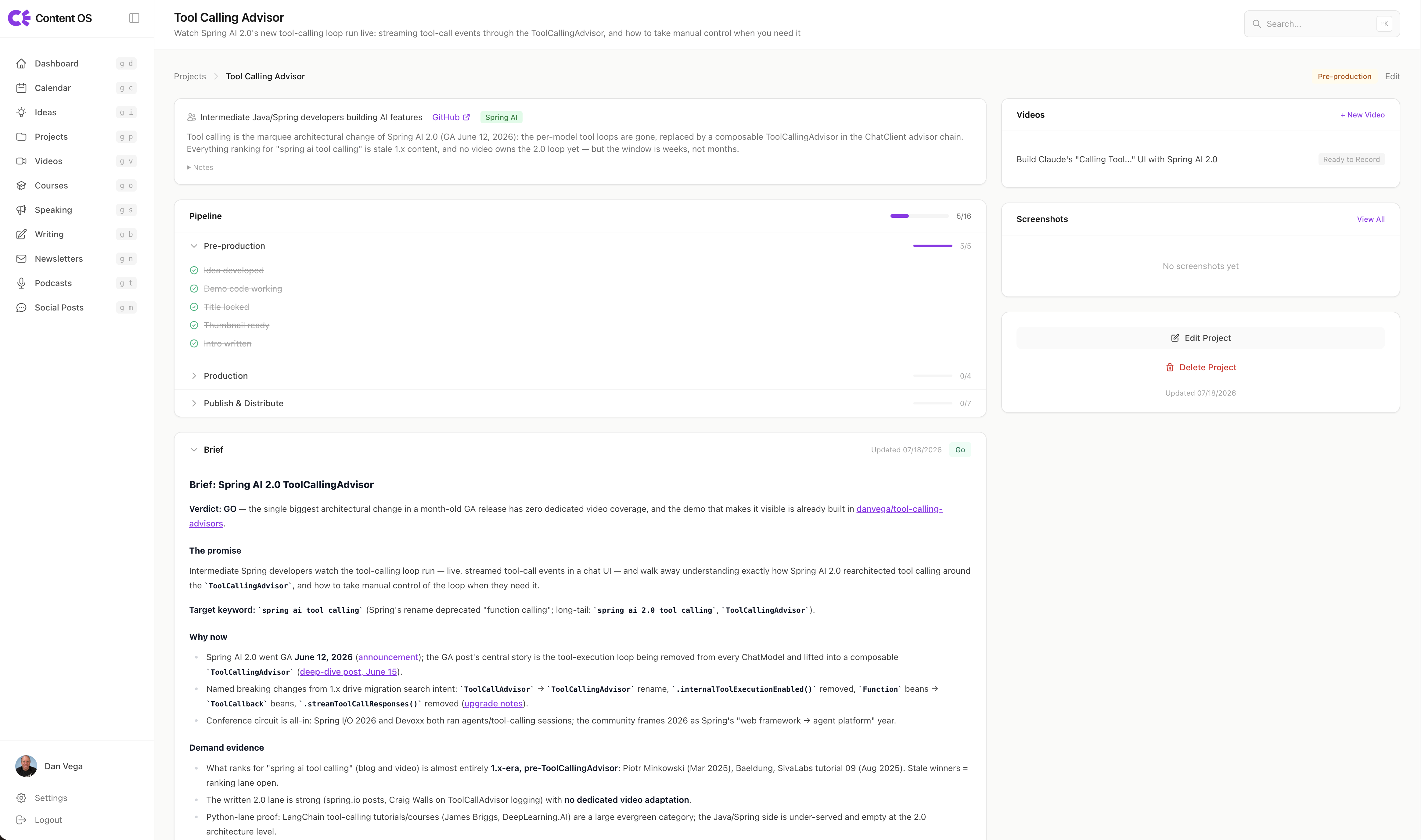
This is where a rough topic becomes a real, concrete idea. I have a develop-idea skill that researches the topic, validates that people actually want this video, and finds the angle other videos are missing. In Content OS (a system I built for managing my content), the brief is part of the project and defines the scope of this content.
Sometimes I'll also tease the topic on social media at this point. I don't have any code yet. I don't have anything concrete. I just put something out there to see if people are interested before I invest more time.
Learn and Build the Demo
My tutorials are built around code, which means I have to learn the thing before I can teach it. This takes time, and I don't think enough creators talk about it.
I collect resources: blog posts, other videos, documentation. Then I work out the code I want to show off in a demo. The constraint here matters: the demo can't be complex. It needs to fit in a concise video, so I'm deliberately building something simple, not a full production application.
Packaging: Title, Thumbnail, and Intro
Here's something that took me too long to learn: the most important parts of a video are decided before the video exists. The title, the thumbnail, and the intro determine whether anyone clicks and whether they stay. So I work all three out up front with a video-packaging skill, and I treat this as a hard gate. No recording until the title, thumbnail, and intro are locked.
The thumbnail gets its own track within this stage. I have a thumbnail skill, I use Figma for design work, and I work with a designer. I'll be honest: this part of my process is still being refined into a repeatable system, and it's the stage I'm most actively trying to improve.
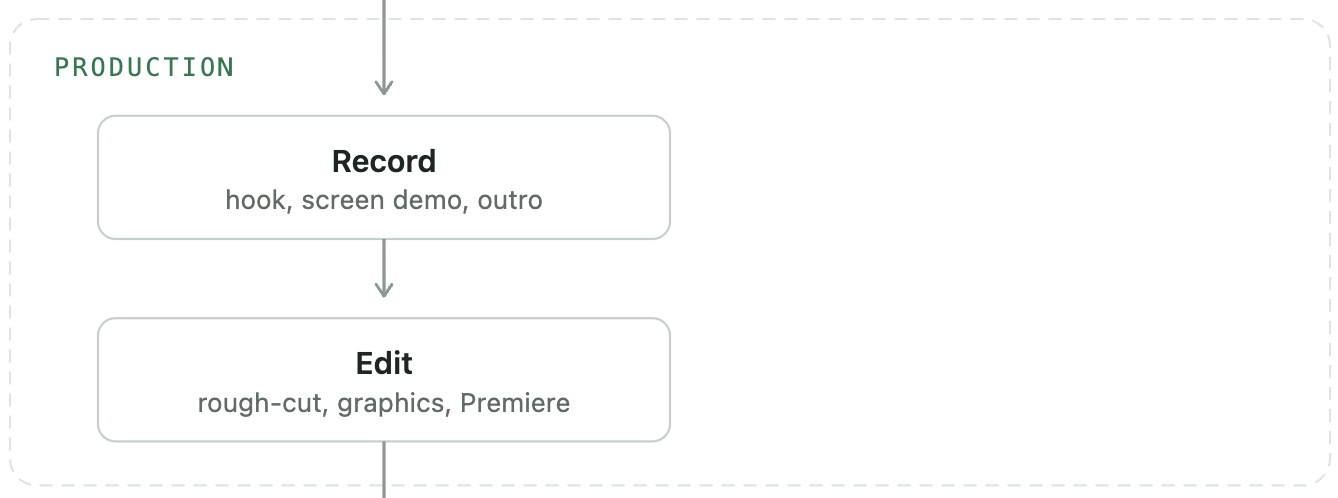
Phase 2: Production
Recording
Before I record anything, I run through a camera-ready checklist: office set up, screens ready to capture, notifications blocked, resolution correct, and everything zoomed in enough that code is readable. Nothing kills a tutorial faster than 12px font in a 1080p screen recording.
Every video follows the same structure:
- A talking-head intro, delivered from the hook I wrote during packaging.
- The screen share, where I walk through the demo.
- A talking-head outro.
Because the intro was written back in the packaging stage, I'm not improvising the most important 30 seconds of the video on camera.
Editing With Claude Code Skills
Editing has always been the slowest part of this whole process for me. I do a decent job, but it takes a while. Recently I've built some Claude Code skills that changed this significantly.
The edit is now a three-step chain:
- A
rough-cutskill takes the raw recording and removes filler words, dead air, and retakes while keeping the pacing natural. - A
motion-graphicsskill lays lower thirds, section titles, and callouts over the footage. - I pull the result into Adobe Premiere for the final pass: color grading, audio, tightening things up, and reviewing the actual footage.
The first two steps used to be hours of manual timeline work. Now they're a first pass I finish in the editor instead of a job I start from zero.
Phase 3: Publish and Distribute
Publishing
Once the video is done, I upload it to YouTube and fill out all the information about it. Then I bring the video into Content OS, a project I built for exactly this. It gets me a transcript and generates ideas for titles and descriptions. I take the best of those and manually add everything to YouTube, and once it's ready, I publish.
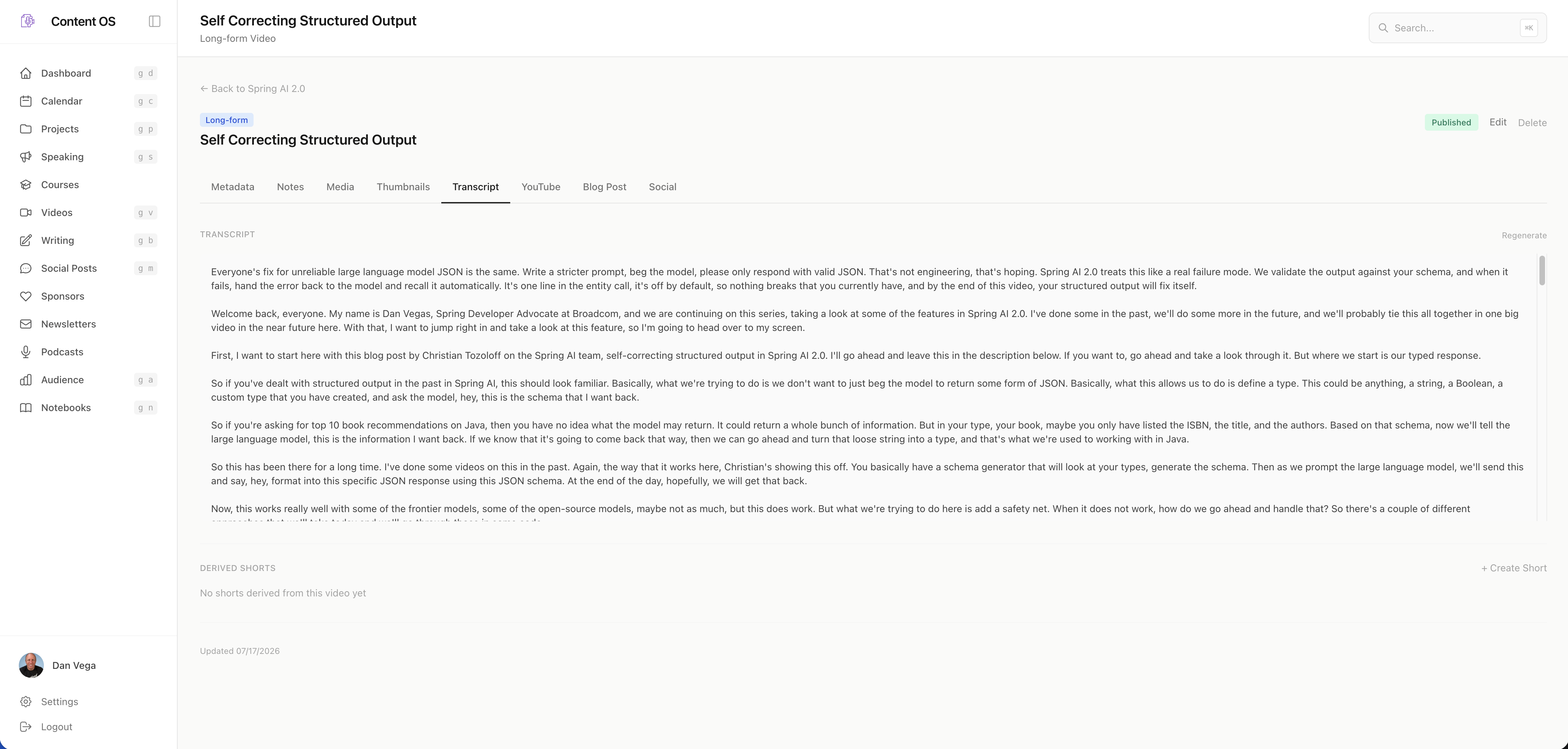
ContentOS is a project that I started to automate a lot of the work I do manually. It is still a work in progress, and honestly, some of the skills I have built do some of this work. I'm still iterating on the workflow and where ContentOS fits into it.
Repurposing the Video Into a Blog Post and Shorts
A published video is not the end. It's raw material.
From the transcript and the GitHub repo, I create a blog post for this site. I don't write it from scratch. It reshapes the same information from the README and the video into post form, so you can watch the video or read the post, whichever you prefer.
Then there are Shorts. A shorts skill looks at the video and cuts it into however many vertical clips make sense. Each Short goes back through a mini version of the publishing stage: posted to YouTube with its own title and description, linked back to the original video.
Promotion
Content OS reads the transcript and creates social posts for LinkedIn, Bluesky, and Twitter announcing the video, and schedules them out. This part is still a mix of manual work and automation, and it's another area I want to improve. Right now a video gets one announcement. Not everybody sees that one post. What I actually want is two or three posts spread over the next few days.
The Newsletter
Every Monday(ish) I publish a newsletter. Any videos I made that week get included: Content OS answers "what did we create this week," writes a quick summary with a link for each video, and those go into the edition. Unlike every other stage, this one runs on a weekly cadence rather than per video. A video's journey through the pipeline ends when it gets swept into Monday's newsletter.
Should You Build a Pipeline Like This?
Probably not on day one. If you're just starting out, a ten-stage workflow is procrastination dressed up as productivity. Make videos. Ship them. In my experience done is better than perfect. The process should grow out of the friction you actually hit, not the friction you imagine.
But if you've been creating for a while and publishing feels heavier than it should, write your workflow down. All of it, from idea to promotion. You can't fix a bottleneck you can't see, and you can't automate a step you've never named. Mapping mine showed me exactly where AI could take over the mechanical work (rough cuts, graphics, clips, summaries) so I can spend my time on the parts that actually need me: learning the thing, teaching it well, and hitting record.
Wrapping Up
That's the whole pipeline: ten stages, three phases, one piece of content that becomes a video, a blog post, a handful of Shorts, social posts, and a newsletter mention. If you have questions about any stage, or you want a deeper dive on the skills I mentioned, let me know. Several of them deserve posts of their own.
Happy Coding!
Dan
Related Articles
Spec-Driven Development for Solo Developers: My Plan
Spec-driven development without the team process. The lightweight plan I use as a solo developer, from one PRODUCT.md to a retro, on a Spring Boot Stripe store.
Claude Code Skills for Podcast Automation
Use Claude Code skills for podcast automation: edit audio, create show notes, prepare a Transistor upload, and open a spring.io PR after the episode is live.
Getting Started with Jev in Java and Spring Boot
Call TypeSafe Jev from Java and Spring Boot with RestClient. Build a complete support-ticket example with typed questions, Java records, and a mocked API test.
subscribe.sh
$ subscribe --list weeklyish
Enjoyed this post? Get the next one.
Java, Spring, and what I'm learning — one email, weekly(ish). Unsubscribe anytime.