
You signed up for Jev, got your API key, and then stared at the screen wondering what to do next. That is exactly where I was a couple of days ago. Getting Jev working in Java and Spring Boot turned out to be straightforward: make an HTTP request, then map the answers to records.
In this post I will explain what Jev does, call it from a single Java file, and build the same example with Spring Boot's RestClient. One messy support message goes in. An urgency probability, a department, and a severity score come back.
📦 Get the Code
Follow along with the complete Spring Boot example.
The plain Java example is in a separate repository. Both examples use Java 25. The Spring project uses Spring Boot 4.1.1.
What Jev Does
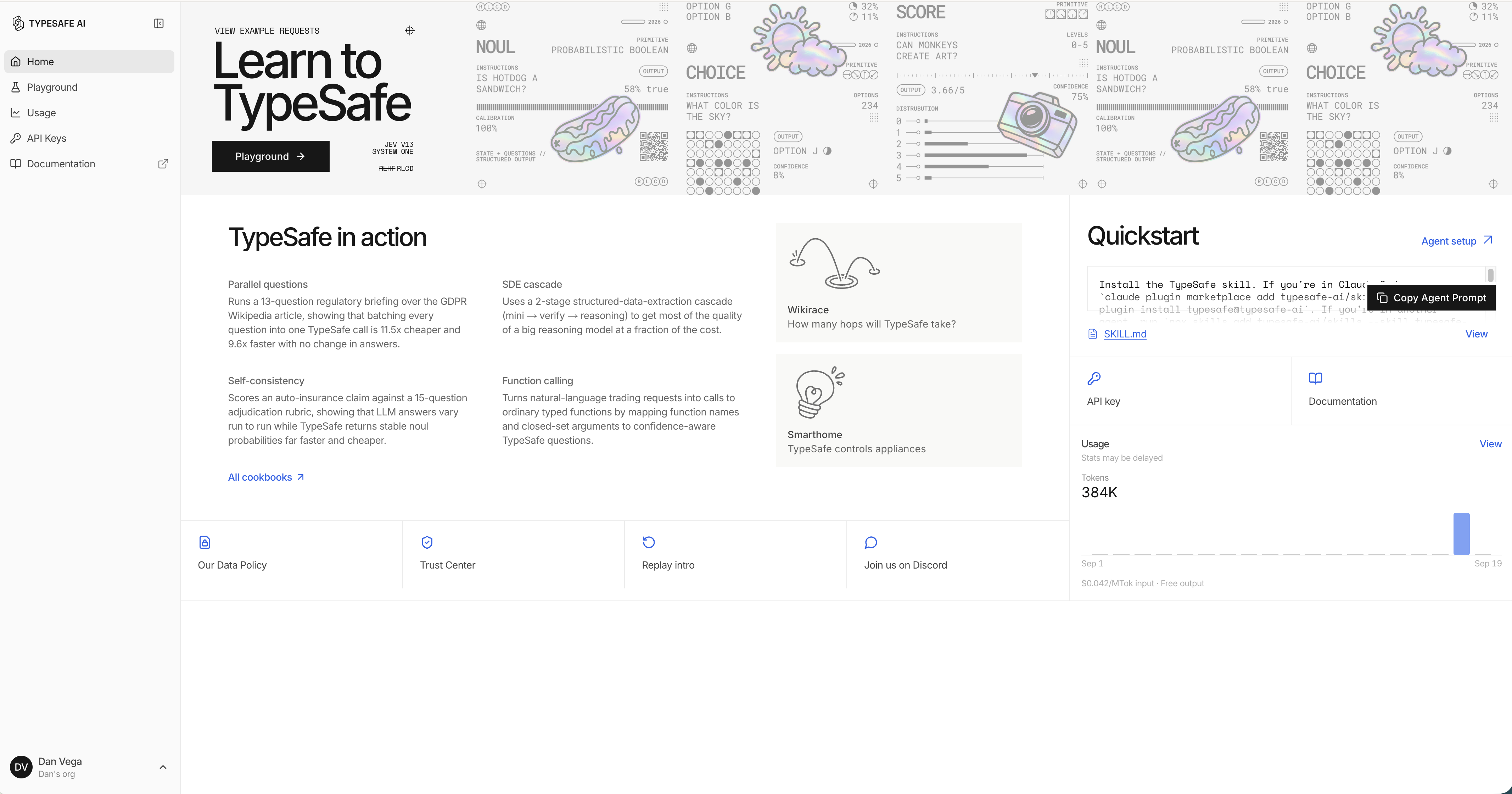
Jev is TypeSafe's model for answering typed questions. You supply the content to evaluate and the decisions you need. It returns values your application can use instead of an essay.
That is a different job from asking a large language model (LLM) to write a reply or summarize a document. For our support ticket, I want to know which team should handle it and how urgent it is. I do not need a paragraph explaining those answers.
This fits Java well. A request becomes a record. The question types become an enum. Jackson maps the response JSON into records too. There is still JSON serialization, but there is no generated prose to scrape for an answer.
Three Typed Questions in One Request
The TypeSafe API reference defines three question types:
- noul asks a yes/no question and returns a value between 0 and 1.
- choice selects an option from a map of named choices and their descriptions.
- score evaluates an ordered list of rubric levels and returns a probability-weighted score.
For this example, the state is a customer who cannot connect Stripe and is losing sales. We ask whether it is urgent, which department owns it, and how severe the problem is.
Try those questions in the TypeSafe console before writing code. The important part is choosing useful options and a clear rubric. Typed output does not remove that work, and it does not guarantee a correct decision.
Calling Jev From Plain Java 25
Start with the smallest version. Save this complete program as HelloJev.java. It uses the JDK HTTP client and prints the raw response. There are no external dependencies.
import module java.net.http;

void main() throws Exception {
    var apiKey = System.getenv("TYPESAFE_API_KEY");
    if (apiKey == null || apiKey.isBlank()) {
        System.err.println("Set TYPESAFE_API_KEY to your TypeSafe API key before running.");
        System.exit(1);
    }

    var body = """
            {
              "state": "Hi, I've been trying to connect my Stripe account for 3 days and it keeps failing. I'm losing sales. Please help ASAP.",
              "model": "jev-latest",
              "questions": {
                "is_urgent": {
                  "type": "noul",
                  "instructions": "Does this message express urgency?"
                },
                "department": {
                  "type": "choice",
                  "instructions": "Which team should handle this?",
                  "criteria": {
                    "billing": "Charges, invoices, payment problems",
                    "integrations": "Connecting third-party services such as Stripe",
                    "shipping": "Delivery status, delays, lost packages"
                  }
                },
                "severity": {
                  "type": "score",
                  "instructions": "How severe is the reported issue?",
                  "criteria": [
                    "Cosmetic; no impact to functionality",
                    "Broken or degraded feature, but a workaround exists",
                    "Blocking issue; no workaround exists"
                  ]
                }
              }
            }
            """;

    var request = HttpRequest.newBuilder(URI.create("https://api.typesafe.ai/v1/systemone"))
            .header("Authorization", "Bearer " + apiKey)
            .header("Content-Type", "application/json")
            .POST(HttpRequest.BodyPublishers.ofString(body))
            .build();

    try (var client = HttpClient.newHttpClient()) {
        long start = System.nanoTime();
        var response = client.send(request, HttpResponse.BodyHandlers.ofString());
        IO.println("HTTP " + response.statusCode());
        IO.println(response.body());
        IO.println("Took " + Duration.ofNanos(System.nanoTime() - start).toMillis() + " ms");
    }
}
Set TYPESAFE_API_KEY in your shell, then run:
java HelloJev.java
The program exits with a message if the key is missing. With a configured key, it prints the HTTP status, response body, and elapsed time. Check that status before treating the response as a successful evaluation.
Notice that choice.criteria is an object, while score.criteria is an array. A list of department names is not the same request shape as a map of department names to descriptions.
In the recorded run, the request took 491 milliseconds. Urgency came back as 0.98, the selected department was integrations, and severity was 1.99. Those are one run's results, not a latency guarantee or values to assert in a test against the live model.
Calling Jev From Spring Boot With RestClient
The Spring version keeps the same request and replaces the hand-written JSON with records. The companion project uses these dependencies:
<dependency>
    <groupId>org.springframework.boot</groupId>
    <artifactId>spring-boot-starter-restclient</artifactId>
</dependency>
<dependency>
    <groupId>org.springframework.boot</groupId>
    <artifactId>spring-boot-starter-restclient-test</artifactId>
    <scope>test</scope>
</dependency>
Spring Boot configures a RestClient.Builder and JSON conversion for us. The application is a command-line runner, so it does not need an HTTP controller or a web server.
Bind the Configuration
Use application.yml for the base URL, model, and environment-variable reference:
jev:
  api-key: ${TYPESAFE_API_KEY:}
  base-url: https://api.typesafe.ai
  model: jev-latest
The empty default lets the demo start without a key and explain what is missing. Keep the real value in your environment.
Each of the following types lives in its own file under src/main/java/dev/danvega/hellojev/. First, bind the configuration to JevProperties.java:
package dev.danvega.hellojev;

import org.springframework.boot.context.properties.ConfigurationProperties;

@ConfigurationProperties("jev")
public record JevProperties(String apiKey, String baseUrl, String model) {
}
Enable that record on the application class, HelloJevApplication.java:
package dev.danvega.hellojev;

import org.springframework.boot.SpringApplication;
import org.springframework.boot.autoconfigure.SpringBootApplication;
import org.springframework.boot.context.properties.EnableConfigurationProperties;

@SpringBootApplication
@EnableConfigurationProperties(JevProperties.class)
public class HelloJevApplication {

    static void main(String[] args) {
        SpringApplication.run(HelloJevApplication.class, args);
    }

}
Model the Request and Response
The Question record has a factory method for each primitive. Its criteria component is an Object because the wire format varies: a map for a choice, a list for a score, and no criteria for this noul question.
package dev.danvega.hellojev;

import com.fasterxml.jackson.annotation.JsonInclude;
import com.fasterxml.jackson.annotation.JsonValue;

import java.util.List;
import java.util.Map;

@JsonInclude(JsonInclude.Include.NON_NULL)
public record Question(Type type, String instructions, Object criteria) {

    public static Question noul(String instructions) {
        return new Question(Type.NOUL, instructions, null);
    }

    public static Question choice(String instructions, Map<String, String> options) {
        return new Question(Type.CHOICE, instructions, options);
    }

    public static Question score(String instructions, List<String> levels) {
        return new Question(Type.SCORE, instructions, levels);
    }

    public enum Type {
        NOUL, CHOICE, SCORE;

        @JsonValue
        public String json() {
            return name().toLowerCase();
        }
    }
}
The factories make the call sites clearer and constrain the criteria you pass for each question type. @JsonValue produces the lowercase type names. @JsonInclude omits the unused criteria field.
Even though this project uses Jackson 3, these annotations still come from com.fasterxml.jackson.annotation.
The request is JevRequest.java:
package dev.danvega.hellojev;

import java.util.Map;

public record JevRequest(Object state, String model, Map<String, Question> questions) {
}
The response is JevResponse.java:
package dev.danvega.hellojev;

import com.fasterxml.jackson.annotation.JsonProperty;

import java.util.Map;

public record JevResponse(String model, Map<String, Answer> answers, Usage usage) {

    /**
     * Which fields are present depends on the question type:
     * noul -> noul, choice -> choice + probabilities + confidence, score -> score + legend + probabilities + confidence.
     */
    public record Answer(
            Question.Type type,
            Double noul,
            String choice,
            Double score,
            Double confidence,
            Map<String, Double> probabilities,
            Map<String, String> legend) {
    }

    public record Usage(@JsonProperty("input_tokens") int inputTokens,
                        @JsonProperty("output_tokens") int outputTokens) {
    }
}
The answer fields depend on its type, so the numeric components use nullable Double values. A choice answer does not contain a noul value. The @JsonProperty annotations map the usage fields from snake case to Java names.
This is a small record that mirrors the API, not a fully validated domain model. If the result drives an important action, validate the answer type and expected fields before using it.
Send the Request
JevClient.java builds the client once and exposes one method:
package dev.danvega.hellojev;

import org.springframework.http.HttpHeaders;
import org.springframework.http.MediaType;
import org.springframework.stereotype.Service;
import org.springframework.web.client.RestClient;

import java.util.Map;

@Service
public class JevClient {

    private final RestClient restClient;
    private final String model;

    public JevClient(RestClient.Builder builder, JevProperties properties) {
        this.restClient = builder
                .baseUrl(properties.baseUrl())
                .defaultHeader(HttpHeaders.AUTHORIZATION, "Bearer " + properties.apiKey())
                .build();
        this.model = properties.model();
    }

    public JevResponse evaluate(Object state, Map<String, Question> questions) {
        return restClient.post()
                .uri("/v1/systemone")
                .contentType(MediaType.APPLICATION_JSON)
                .body(new JevRequest(state, model, questions))
                .retrieve()
                .body(JevResponse.class);
    }
}
The call to .body(...) serializes the request. The final .body(JevResponse.class) deserializes the response. There is no provider-specific Java SDK in between.
retrieve() throws for HTTP error responses by default. For a production integration, decide how your application should handle missing credentials, rejected input, rate limits, and temporary service failures. Configure timeouts appropriate to the work you are doing too. The Spring RestClient documentation covers that behavior.
Run the Support-Ticket Example
The last piece is JevDemo.java, a CommandLineRunner that executes when the app starts:
package dev.danvega.hellojev;

import org.springframework.boot.CommandLineRunner;
import org.springframework.stereotype.Component;
import org.springframework.util.StringUtils;

import java.util.List;
import java.util.Map;

@Component
public class JevDemo implements CommandLineRunner {

    private final JevClient jev;
    private final JevProperties properties;

    public JevDemo(JevClient jev, JevProperties properties) {
        this.jev = jev;
        this.properties = properties;
    }

    @Override
    public void run(String... args) {
        if (!StringUtils.hasText(properties.apiKey())) {
            System.out.println("Set TYPESAFE_API_KEY to run the sample.");
            return;
        }

        var state = "Hi, I've been trying to connect my Stripe account for 3 days and it keeps failing. "
                + "I'm losing sales. Please help ASAP.";

        var questions = Map.of(
                "is_urgent", Question.noul("Does this message express urgency?"),
                "department", Question.choice("Which team should handle this?", Map.of(
                        "billing", "Charges, invoices, payment problems",
                        "integrations", "Connecting third-party services such as Stripe",
                        "shipping", "Delivery status, delays, lost packages")),
                "severity", Question.score("How severe is the reported issue?", List.of(
                        "Cosmetic; no impact to functionality",
                        "Broken or degraded feature, but a workaround exists",
                        "Blocking issue; no workaround exists")));

        var response = jev.evaluate(state, questions);

        System.out.println("Model: " + response.model());
        response.answers().forEach((id, answer) -> System.out.println(id + ": " + describe(answer)));
        System.out.println("Usage: " + response.usage());
    }

    private String describe(JevResponse.Answer answer) {
        return switch (answer.type()) {
            case NOUL -> "noul %.2f".formatted(answer.noul());
            case CHOICE -> "choice %s (confidence %.2f) %s"
                    .formatted(answer.choice(), answer.confidence(), answer.probabilities());
            case SCORE -> "score %.2f (confidence %.2f) %s"
                    .formatted(answer.score(), answer.confidence(), answer.legend());
        };
    }
}
With your API key set, run the companion project:
./mvnw spring-boot:run
The output contains the selected model, each named answer, and token usage. The switch formats each primitive differently: noul as a probability, choice as a department, and score with its rubric legend.
Read the score together with that legend. It is a weighted value across your supplied levels, not a universal severity scale. Changing the rubric changes what the number means.
Test the HTTP Contract Without Calling Jev
You do not need to spend API credits to test the integration. The companion repository has a JevClientTest using @RestClientTest and MockRestServiceServer.
It checks the endpoint, authorization header, content type, and serialized question types. It also checks that noul omits criteria, choice sends an object, and score sends an array. A canned response verifies that the Java records deserialize all three answer shapes.
./mvnw test
That verifies our client contract. It does not measure model accuracy. For that, build a separate set of representative tickets with expected routing decisions and evaluate the results.
When to Reach for Jev
Support-ticket routing is a useful starting point because the output choices are explicit. The same pattern can apply to categorizing comments or deciding which requests need a human reply. When the task is writing that reply, a text-generating model still has a job to do.
If you need arbitrary structured data extracted by an LLM, my post on self-correcting structured output in Spring AI covers that approach. Here we are asking a narrower set of typed questions.
Start with the plain Java call so you can see the request and response. Move to the Spring version when you want configuration, record mapping, and a testable client. Then spend your time on the part that matters most: choosing questions and checking whether the decisions are useful.
Happy Coding!
Dan
Related Articles
Spec-Driven Development for Solo Developers: My Plan
Spec-driven development without the team process. The lightweight plan I use as a solo developer, from one PRODUCT.md to a retro, on a Spring Boot Stripe store.
I Built My Own Content OS With Claude Code
How I built Content OS with Claude Code and Spring Boot to manage videos, blog posts, and newsletters, and what changes when you build software for one user.
The 5 Steps of AI Adoption: Which One Are You On?
Learn the 5 steps of AI adoption mapped out by Boris Cherny, creator of Claude Code, and how to move from copy-pasting code to supervised autonomy.
subscribe.sh
$ subscribe --list weeklyish
Enjoyed this post? Get the next one.
Java, Spring, and what I'm learning — one email, weekly(ish). Unsubscribe anytime.