
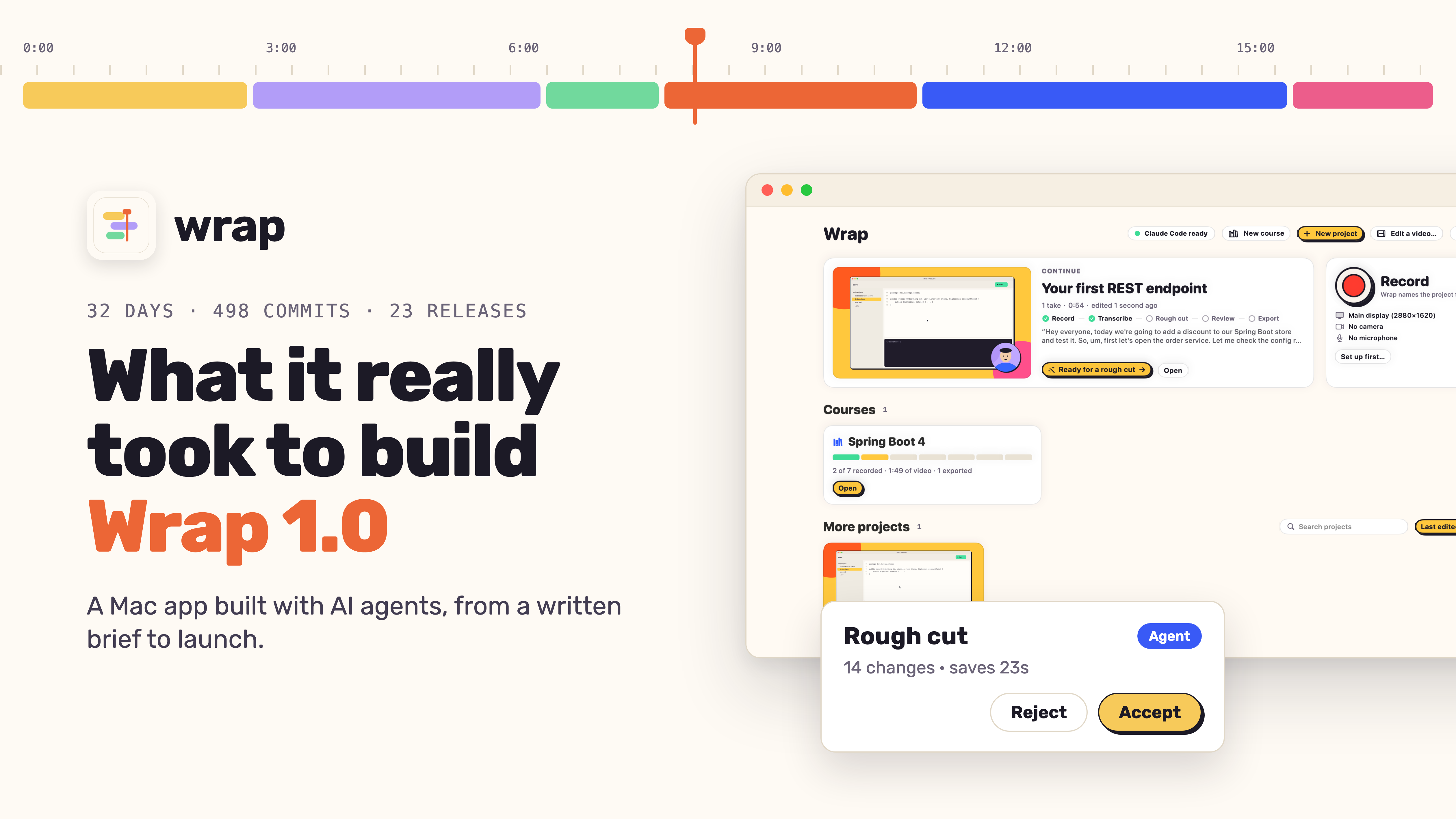
TL;DR: Wrap 1.0 is out. It's a Mac app that records coding tutorials and lets your own AI agent edit them. I built it in 32 days with coding agents: 498 commits, 23 releases and about 79,000 lines of Swift. Agents wrote most of that code. Building something I'm proud of was still hard work.
Yes, I used AI to build Wrap. If you picture that as typing a few prompts into an agent and getting a product back, you're wrong.
I couldn't have built Wrap without agents. I'm not a Swift developer. I record a YouTube video every week and I have a day job. But agents didn't decide what Wrap should be. They didn't record real videos with it, find out the zooms made me dizzy, or notice my lips were out of sync. That part was mine, every day, for a month.
We saved the history of Wrap as we went: screenshots, mockups and notes for each milestone. In this post I'll walk you from the written brief on October 25 to the 1.0 release on November 26. I'll show you the numbers, the screenshots from each stage, and what the agents did versus what I did. I'll also tell you when I think this way of building doesn't work.
What Is Wrap?
Wrap is a Mac app for people who teach on screen. It records your screen, camera and mic. While you record, it keeps a log of what happened: clicks, typing with the file and line, and terminal commands with their exit codes. It transcribes on your Mac. Then your own AI agent proposes edits over a local Model Context Protocol (MCP) server, and you review every change before it lands.
That event log is the whole idea. Other AI video editors only read the transcript. They don't know a test failed, a build was running, or which line of code you were typing. Wrap does.
Why I Built Wrap
I record a coding video every week. For years, that meant stitching several apps together. I recorded in Ecamm and edited in Premiere.
Each of those apps is great at what it does. But I only used a small part of each one. Ecamm is built for live streaming, and I just needed a recorder. Premiere can do almost anything, and most weeks I needed cuts, zooms and a camera in the corner. I was learning, paying for and jumping between big tools to use a slice of each.
None of them knew anything about the code on my screen, either.
I didn't need more features. I needed a workflow that worked for me. One app that records the way I record, edits the way I edit, and knows what happened while I was coding. That's why I started Wrap.
Wrap by the Numbers
| Brief to 1.0 | 32 days (Oct 25 to Nov 26, 2026) |
| Commits | 498 on main, on 31 of those days |
| Pull requests merged | 106 |
| Releases | 23, from beta-1 on Nov 2 to v1.0.0 |
| Lines of Swift in the first commit | 11,077 in 67 files |
| Lines of Swift today | 79,196 |
| App, core library, tests | 34,849, 26,814 and 16,855 lines |
| Tests | more than 1,200 |
| Approved screen snapshots | 63 |
The commits came in waves:
| Week | Commits | What happened |
|---|---|---|
| Oct 25 to 31 | 117 | First version, first real video, Rough cut |
| Nov 1 to 7 | 178 | Private beta, iPhone recording, Shorts and captions |
| Nov 8 to 14 | 82 | Auto updates, stricter build checks |
| Nov 15 to 21 | 47 | Edit a video you already have, project stats |
| Nov 22 to 26 | 74 | Courses, licensing, 1.0 |
The busiest days were October 27 (61 commits), November 5 (57) and November 6 (62). Those were days with several agents working side by side in their own branches.
Day 0: A Written Brief
Wrap didn't start with a prompt. It started with a 15-page brief.
The brief said who Wrap is for, what it replaces, and what sets it apart. It described one loop: Record, Transcribe, Ask, Review, Export. It even set the look: bright, warm and bold. Cobalt means the agent did it. Pink means it gets cut.
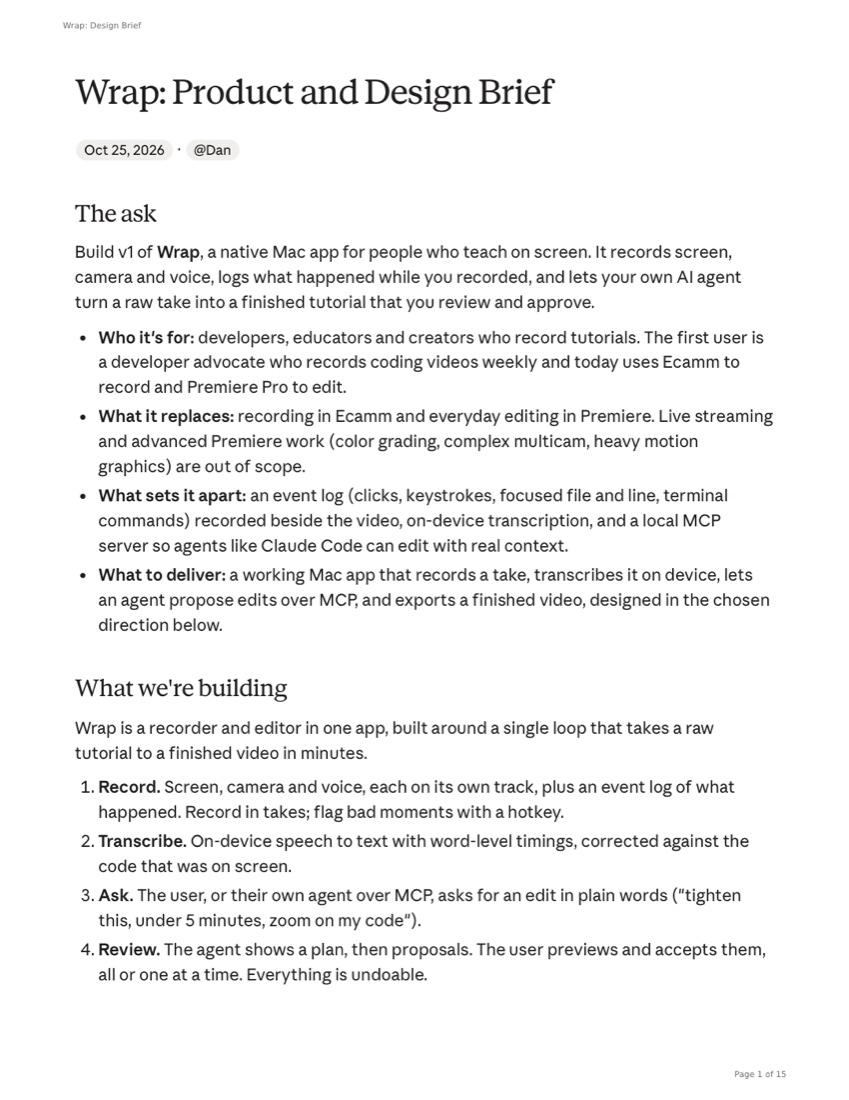
The brief also said what not to build first. Prove the event log before building a video engine. That one line saved me a lot of wasted work.
Day 1: A Whole First Version Overnight
On the night of October 25, I handed the brief to an agent and went to bed. I told it to keep building, make the decisions itself and wake me up to a working app.
The first commit landed at 11:32 that night. It wasn't a spike. It was 67 files and about 11,000 lines of Swift. It recorded the screen, camera and mic. It wrote an event log beside each take and masked secrets before they hit disk. It transcribed on device. It had an MCP server with 46 tools, an editor and an MP4 export.
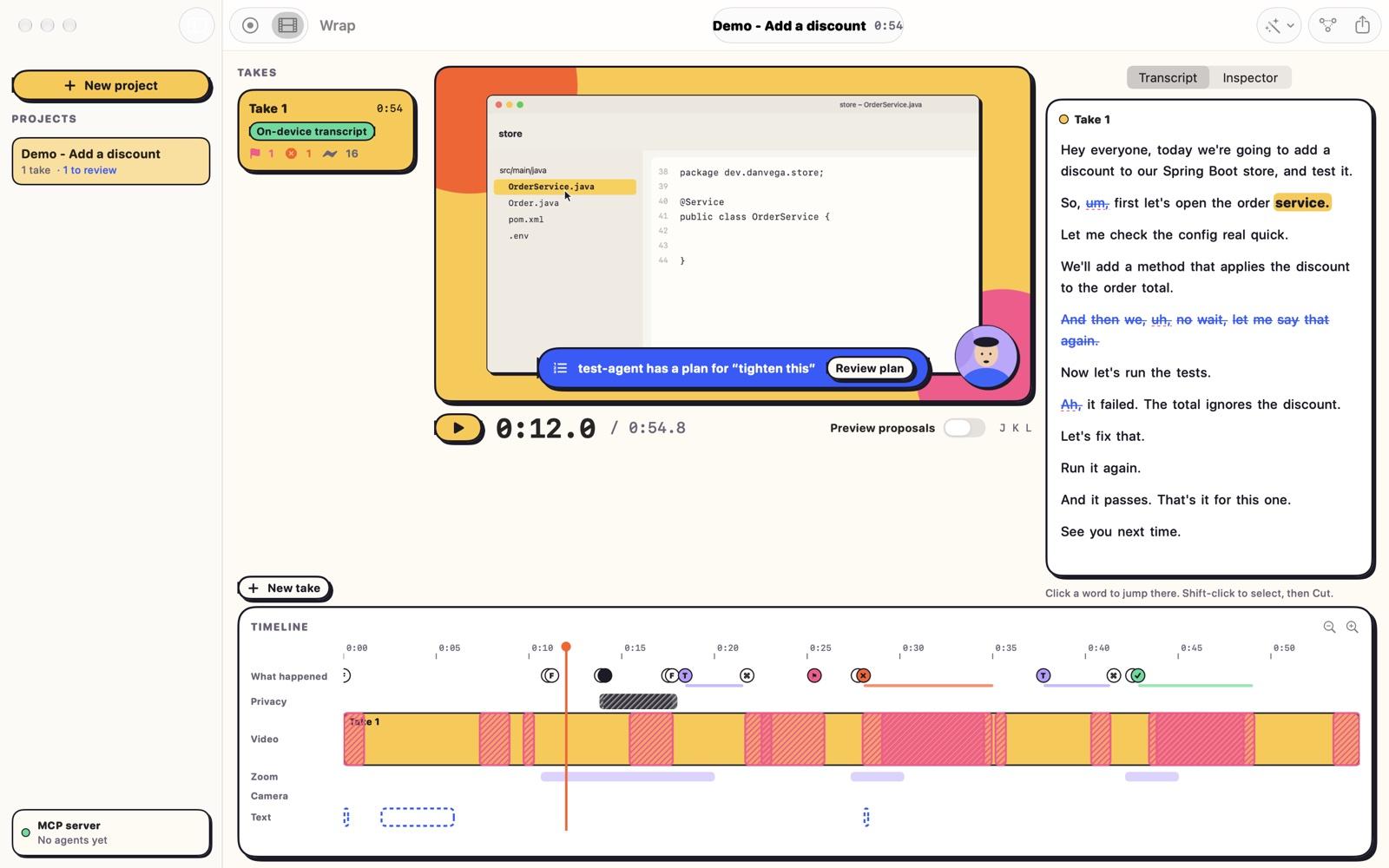
This is the moment people picture when they say AI built your app. And it's impressive. The whole loop worked end to end on day one.
It was also a demo. It had never touched a real Mac with a real camera, IntelliJ and a terminal.
Days 2 and 3: It Met a Real Mac
The next morning, things broke. Leaving the record screen could freeze the app. Typing in IntelliJ crashed Wrap. For a while, so did every key press. We fixed all of it that day.
Then I started making it mine. I edit in Premiere, so the timeline learned my keys: I and O to mark, Q and W to ripple trim, Cmd-K to add an edit. I wanted layouts like Ecamm's scenes, so you can switch from camera only to screen plus camera with a key. I record with a Stream Deck +, so Wrap got a real Stream Deck plugin with live keys.
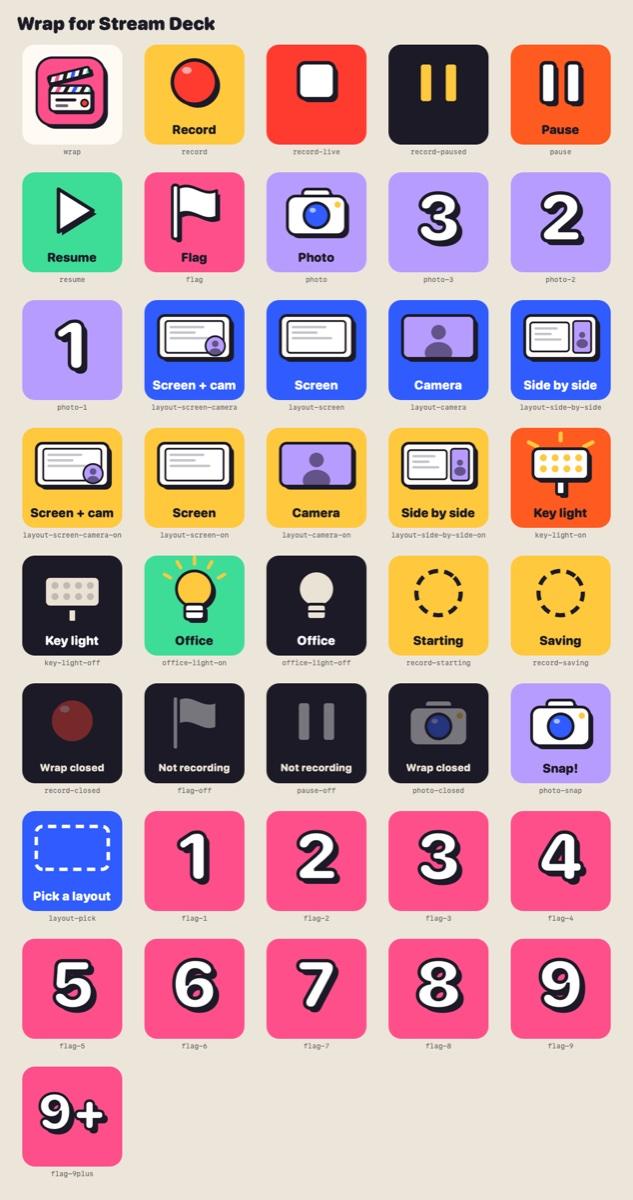
October 27 had 61 commits. None of those features came from the agent. They came from me knowing how I work.
Day 3: The First Real Video
On October 27 I published my first YouTube video made with Wrap, "JDK Native JSON". It was 6 takes and about 17 minutes. Wrap did the recording, transcript and rough edit. Premiere still did color and the final cut.
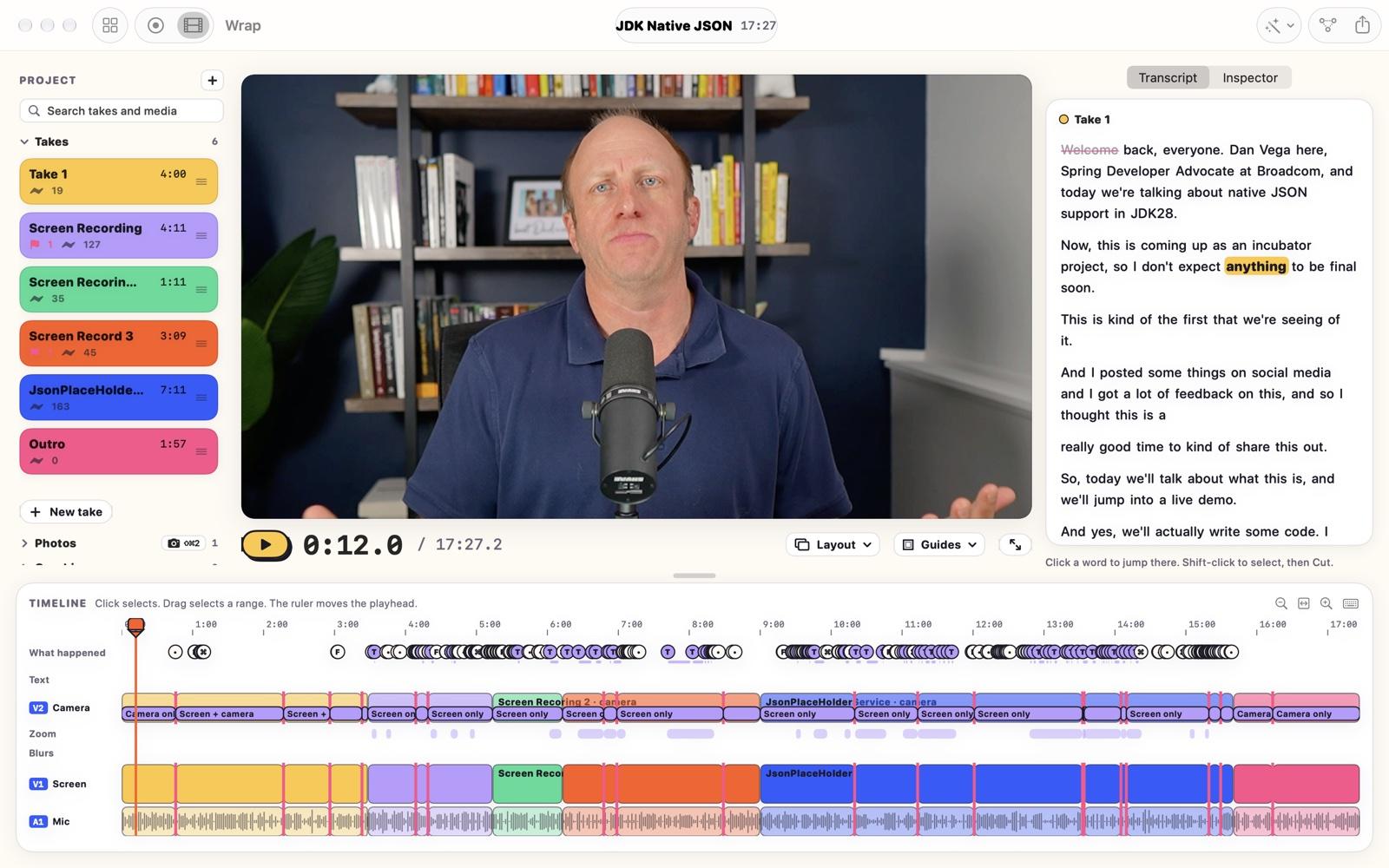
Editing a real video showed me everything that was wrong:
- Cuts clipped my words, because transcript times drift. Now cuts snap to the quiet spots in the mic.
- Wrap added 96 zooms in 17 minutes. It made me dizzy. Now you pick Off, Few or Lots, and Few gave 29.
- A viewer said my IDE sat full screen for 12 minutes, too small to read on a phone.
That last one became my favorite feature. Wrap now reads the screen after each take. It finds the line each run of typing landed on and zooms in on the code as you type it. On the JDK video it placed 64 of 66 runs of typing.
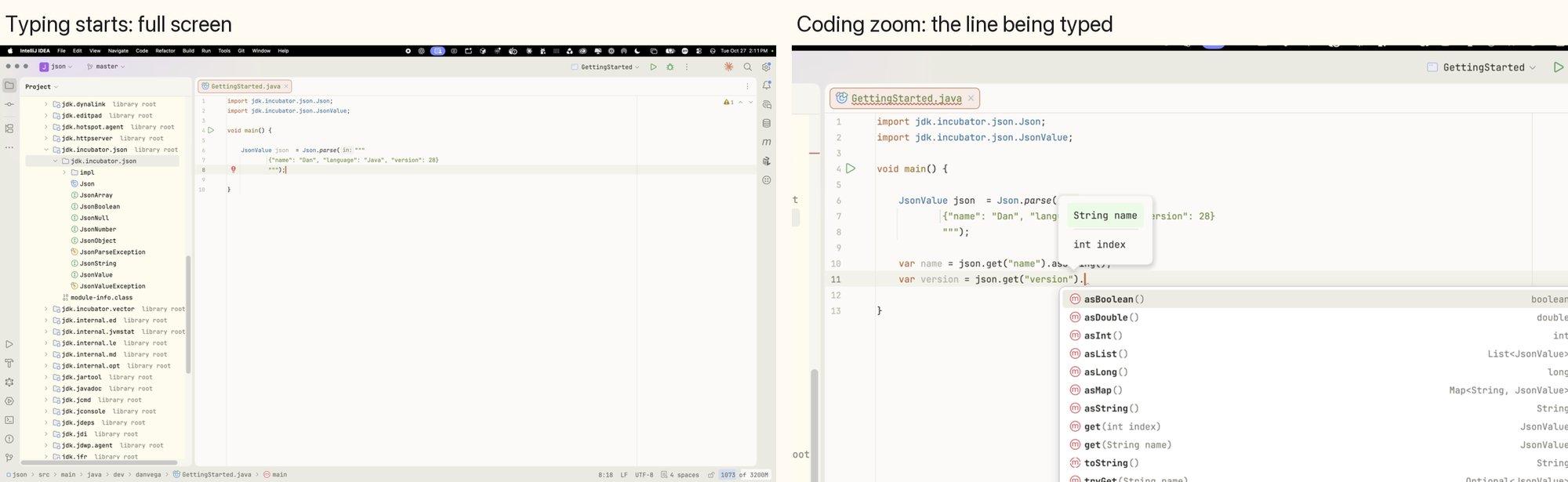
My reaction at the time was "exactly what I was looking for. Fluid zooms and in the right spots." No agent could have told me the first version was wrong. I had to watch it.
Day 4: Rough Cut, and a Frozen Camera
On October 28, Wrap got Rough cut. One button turns a raw take into a first edit. It finds restarts, doubled words, spoken slates, fillers and long pauses. It uses the event log to judge pauses: a build or a test run gets sped up, not cut. Then Claude Code runs against Wrap's own tools and adds chapters and zooms. All of it arrives as one proposal you review.
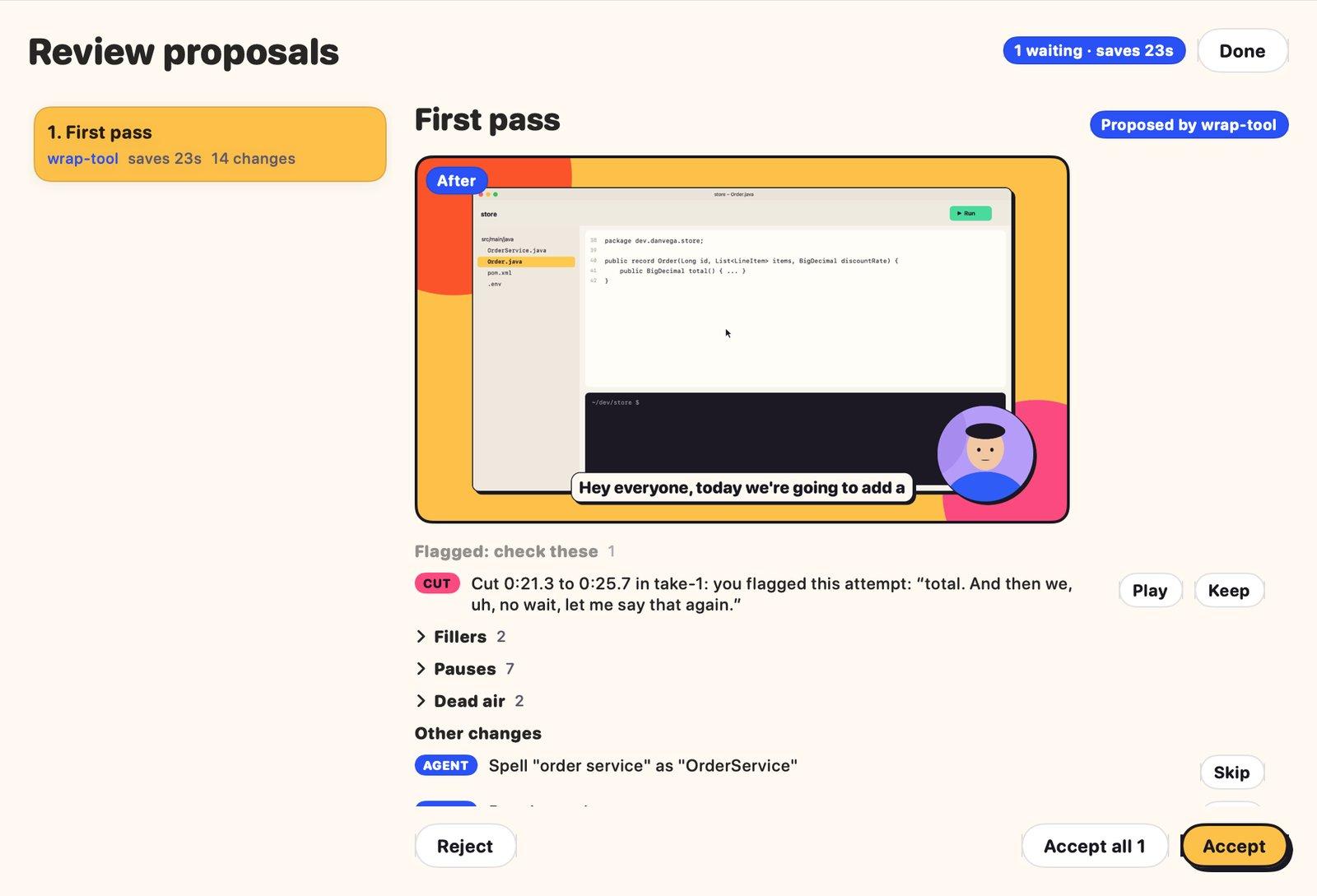
The same day, a test build ran while I was recording, and it froze my camera mid-take.
That was the scariest moment of the whole project. A lost take costs more than any missing feature. So that evening we made recording safe. Takes are written so a crash leaves a usable file. Wrap checks the mic, camera and disk before a take. And the first rule in the file my agents read before every session is now this: never open my real camera or mic from a build you launched.
Taste Is Not Something You Can Prompt
A lot of my time went into saying "no, not like that."
The first project explorer had five loud color cards that were louder than the video preview. I called it an eye sore. So the agent built four directions as a mockup, side by side, and I picked one.
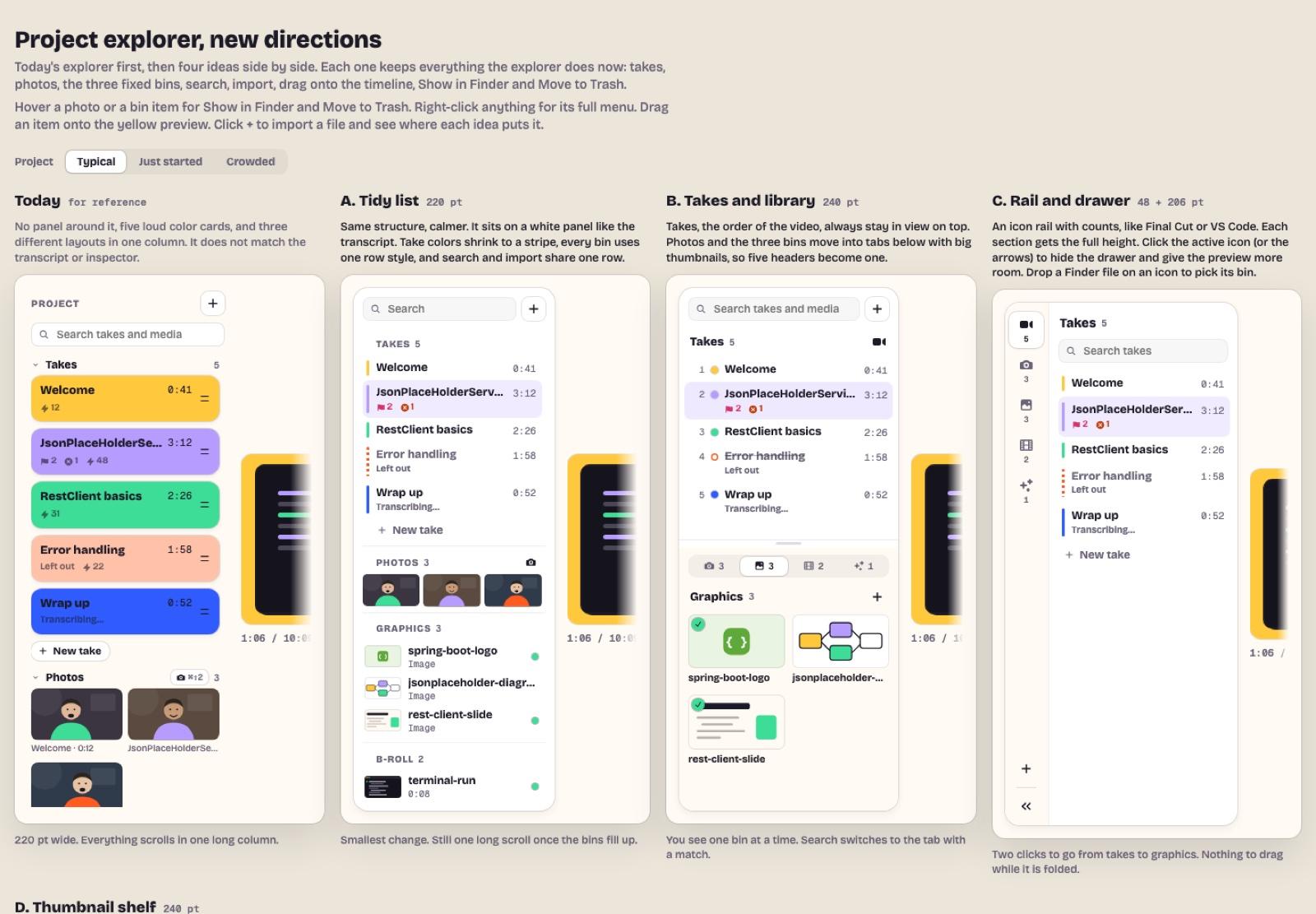
That happened over and over. Layouts, link cards, the logo, the export screen. Agents are great at making four versions. Picking the right one, and knowing when none of them is right, is still your job.
The same goes for the details you only see in real use. My Sony camera over USB delivers frames about 190 ms late. You can't see that in a screenshot. You see it when you watch your own intro and something feels off. Now Wrap compares your lips with your voice after each camera take and fixes the delay on its own.
Weeks 2 to 4: From Beta to 1.0
On November 2, the first beta went out to testers, signed and notarized. From there it was a release every day or two:
- 0.5 recorded a plugged-in iPhone or iPad as the screen.
- 0.6 gave the camera a box of any shape and brought Shorts with ten caption styles. It also made the blurs for secrets on screen much stronger, including URLs split across two lines and text that slides in.
- 0.7.0 added auto updates. It also made the build fail on any warning, added a linter and put a line limit on the parts of the code without tests.
- 0.7.5 let you edit a video you already have and showed how long each project took and what its agents cost.
- 0.7.8 to 0.8.0 added courses: a project per module, in order, with the next module to record.
I built courses because I needed them. I'm recording a Spring Boot 4 course in Wrap right now.
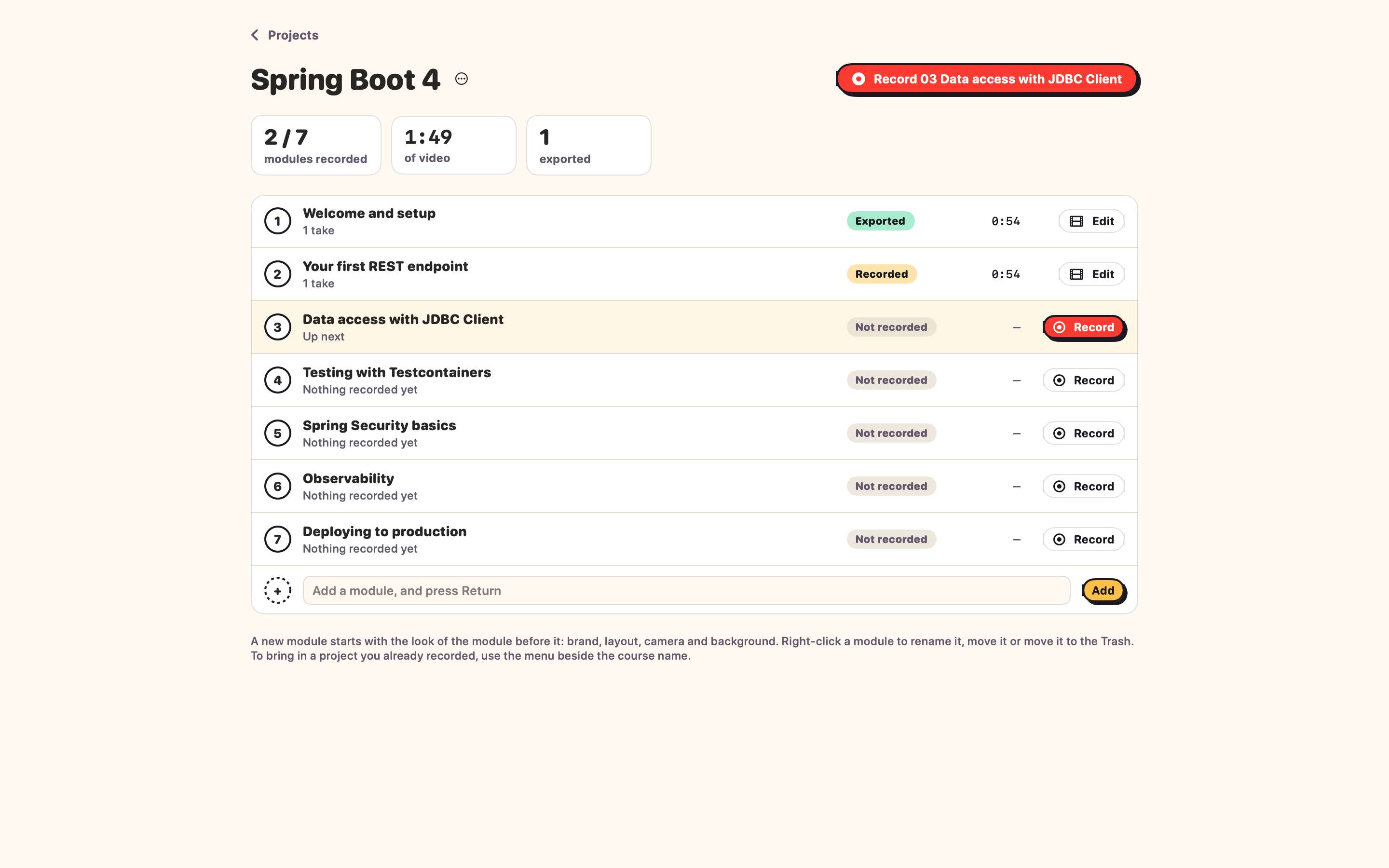
1.0 added licensing on November 26. You get three clean exports for free. After that, exports carry a small Made with Wrap mark until you buy a license.
Then and Now
Here's the same demo project in the editor on day one and in 1.0.
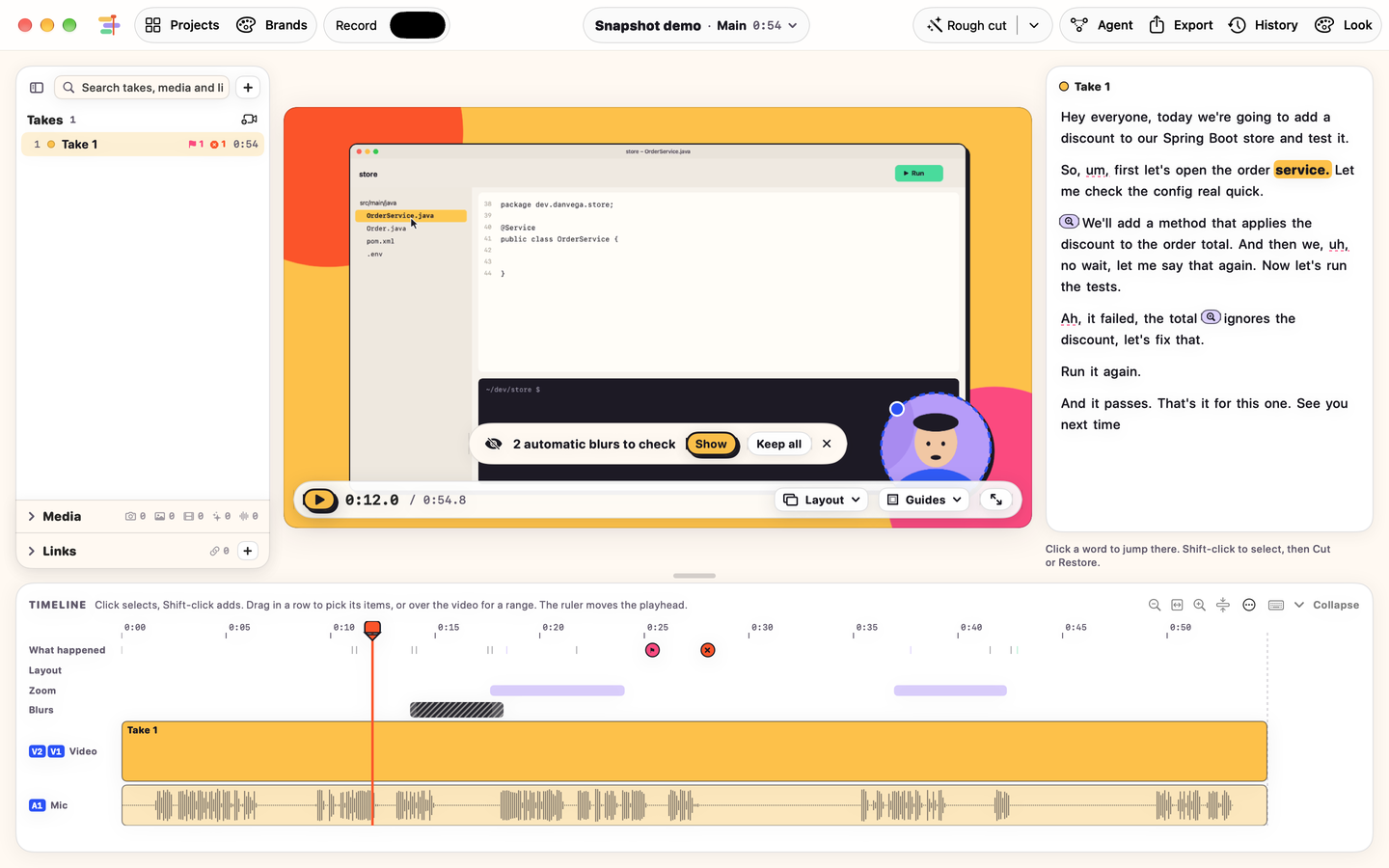
The day one version had more color. The 1.0 version has a month of real videos behind it.
What the Agents Did and What I Did
Agents wrote most of Wrap's code. The file my agents read says it plainly: I build Wrap almost entirely with agents and don't read most of the code.
So how do I trust it? Gates. That's the part that took real work, and it's the part nobody sees.
- More than 1,200 tests run before an agent can say it's done.
- Warnings fail the build. A linter rejects force unwraps,
try!and strayprintcalls. - Line limits on the parts of the app that are hard to test. They can go down, never up.
- 63 approved screenshots. Snapshot runs render every screen, and a change has to match or get approved.
- Hooks stop an agent before it touches the release scripts or signing.
- Anything visual gets tested on a copy of a real project, with before and after frames, before I install it.
I wrote about why this matters in Can You Trust AI-Generated Code?. Wrap is the biggest test of that idea so far.
I used the same approach on Clearing, my day planner for the Mac and iPhone.
And then there's the stuff only I could do:
- Decide what Wrap is, and what it isn't. Live streaming and color grading are out.
- Record real videos with it every week, and come back with a list.
- Pick between mockups, and reject all of them when none were right.
- Decide the price, the name and when it's ready.
When This Doesn't Work
I'd be lying if I said anyone could do this with any idea.
It worked because I'm Wrap's first user. I record a coding video every week, so I tested it on real work every week. If you can't use what you're building, you won't find the 96 zooms or the late camera. The agent won't find them for you.
It worked because I had strong opinions. I've used Ecamm and Premiere for years. I knew what I wanted the keys to do. If you don't know what good looks like in your domain, agents will happily build you something that compiles and works and is wrong.
And it worked because I spent real time on gates. I'm not a Swift expert, so I can't review most of this code. If you skip the tests, the snapshots and the hooks, you're shipping code nobody checked.
The Most Fun I've Had Building Something
I've built a lot of things over the years. I have never had this much fun building a single product.
Some nights I'd write down what bugged me in that day's video, and by morning it was fixed and waiting for me to try. Then I'd record the next video and find something new. That loop, record, find, fix and record again, is the most fun I've had as a developer.
It was also hard. Some days were long. Some features took four tries. But I'm proud of Wrap in a way I haven't been proud of a project in a long time.
Try Wrap
Wrap 1.0 is available now at thatsawrap.video. It needs macOS 26 or later on Apple silicon. A license is $99 and includes a year of updates. The launch price is $79 through December 10.
If you record coding videos, try recording one take and let your agent do the first pass. Then look at the event log. That's the part I'd never want to give up now.
This Story Isn't Over
Wrap 1.0 isn't the end. It's just the beginning.
I have big features in the works for future versions. But the next chapter shouldn't only come from my own videos. I want to hear what you think.
Send me your feedback. Use Send Feedback inside Wrap, or email [email protected]. Tell me what you love, what bugs you, and what you wish it did. I read all of it, and I will listen.
Happy Coding
Related Articles
How to Pass App Store Review With a Coding Agent
App Store review tips from shipping iOS and Mac apps with a coding agent: avoid rejections, write better review notes, and request an expedited app review.
I Built a Mac and iPhone Planner With a Built-In MCP Server
How Clearing runs a local MCP server inside a Mac app, syncs through your own iCloud, and finds tasks in a brain dump without a server of its own.
Claude Code Skills for Podcast Automation
Use Claude Code skills for podcast automation: edit audio, create show notes, prepare a Transistor upload, and open a spring.io PR after the episode is live.
subscribe.sh
$ subscribe --list weeklyish
Enjoyed this post? Get the next one.
Java, Spring, and what I'm learning — one email, weekly(ish). Unsubscribe anytime.